•
Viewing photos
•
Copying photo
•
Viewing photo slideshows
•
Deleting and Rotating
photos
Enjoying photos
Viewing Photos
When there is no memory card and digital camera is not connected to Photo Display, it
displays photos stored inside. When a memory card is inserted or digital camera is actively
connected to Photo Display, it will display photos from most recently connected media or
device in a last-in, first-display order.
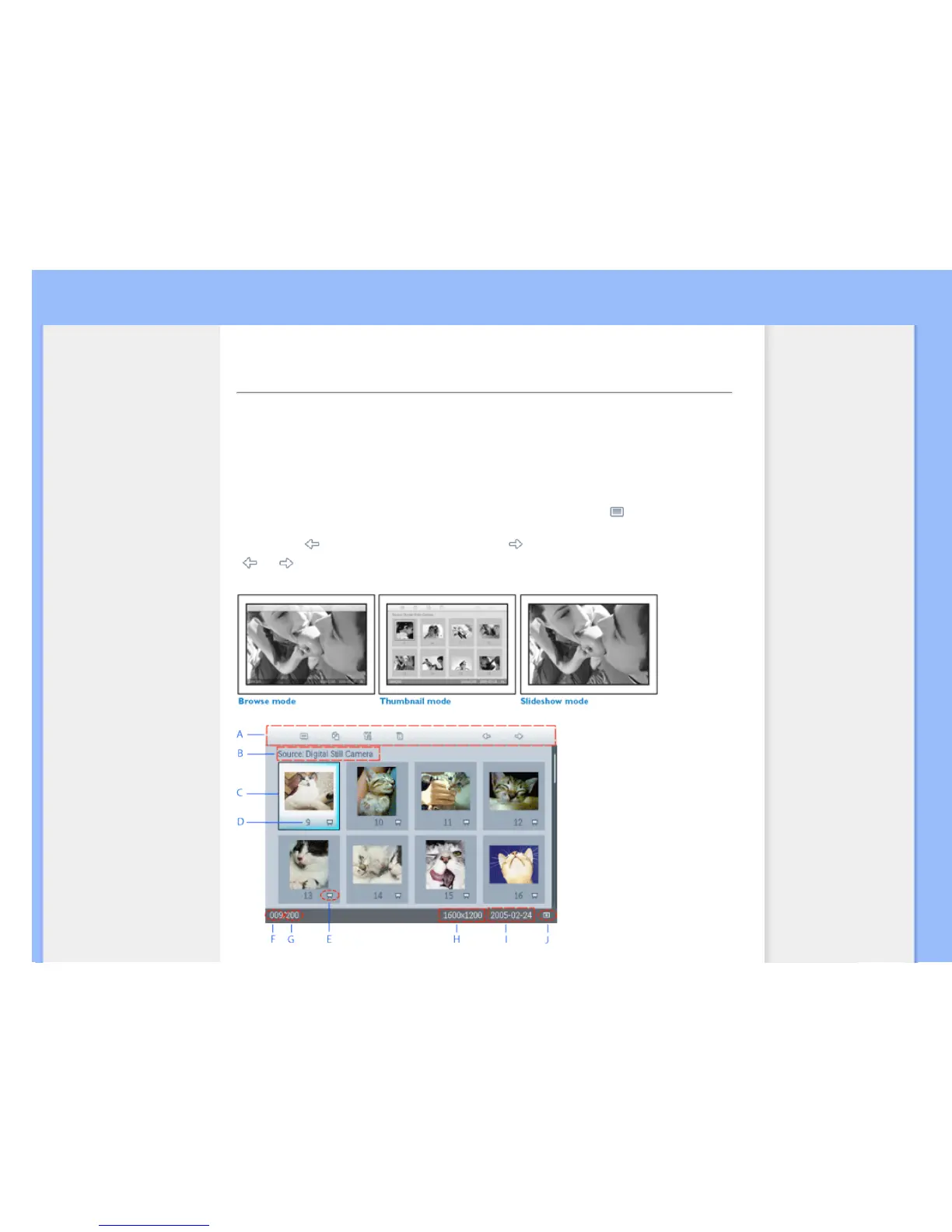
You can choose from three Photo Display viewing modes. Press ( the 1
st
key
from the left on the rear of Photo Display) to toggle among the three viewing
modes; use
to view the previous photo and to view the next photo.
(
and are the first two keys from the right on the rear of Photo Display.)
THUMBNAIL-List of photos.



 To Next Page