•
Press the key (the 4
th
key from the left on the rear of Photo Display).
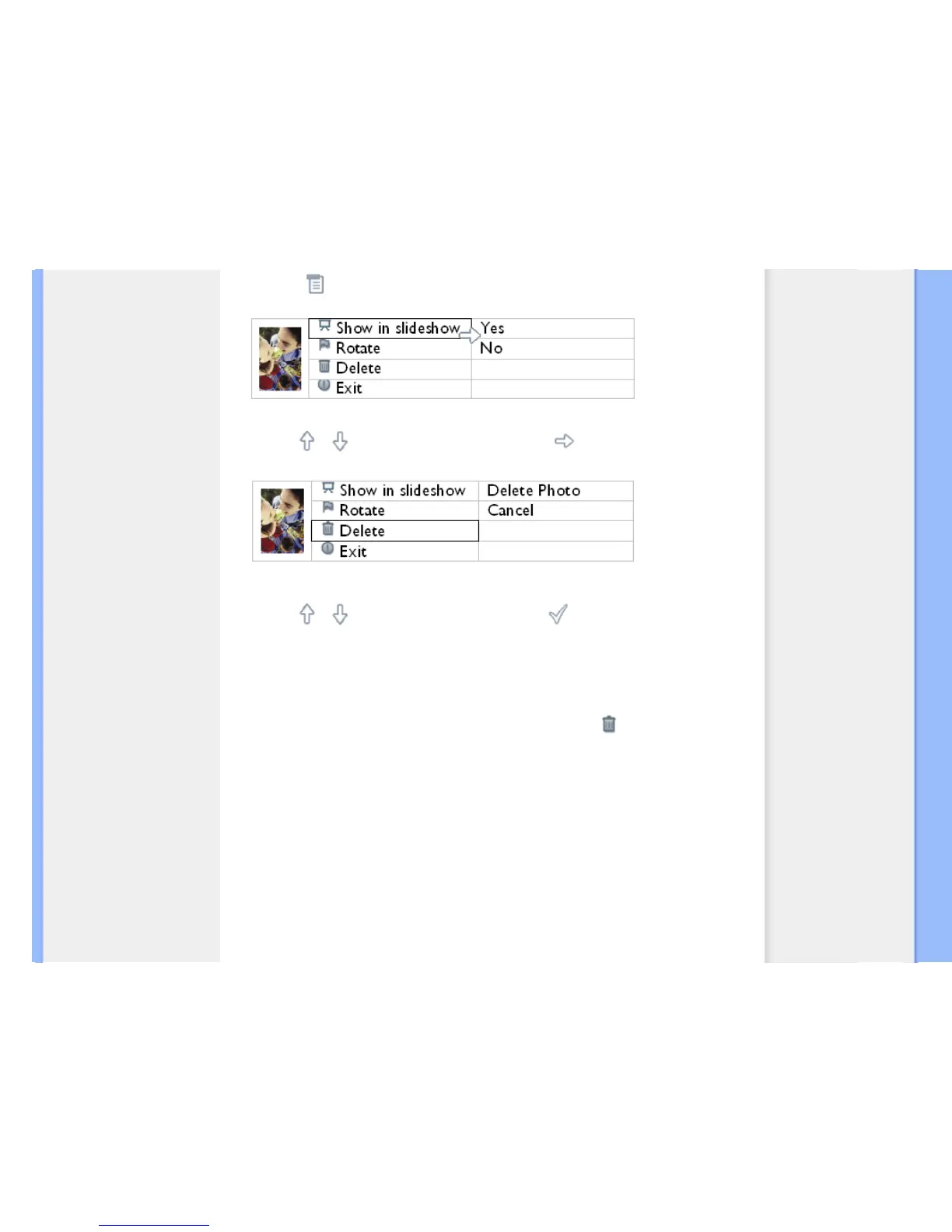
A menu with specific settings for the selected photo will appear.
•
Use the or key to highlight Delete and press the key to select.
•
Use the or key to highlight Delete Photo; Press to confirm.
•
When you delete a photo, Photo Display will show status and return to Brose mode after
completion.
Delete several photos at once in Thumbnail mode
•
Turn on Photo Display and change view mode to Thumbnail.
•
Highlight the photo for delete in Thumbnail mode and press the key (the 2
rd
key
from the left on the rear of Photo Display).
A multi-photo delete screen with small photos from current thumbnail screen will appear.



 To Next Page