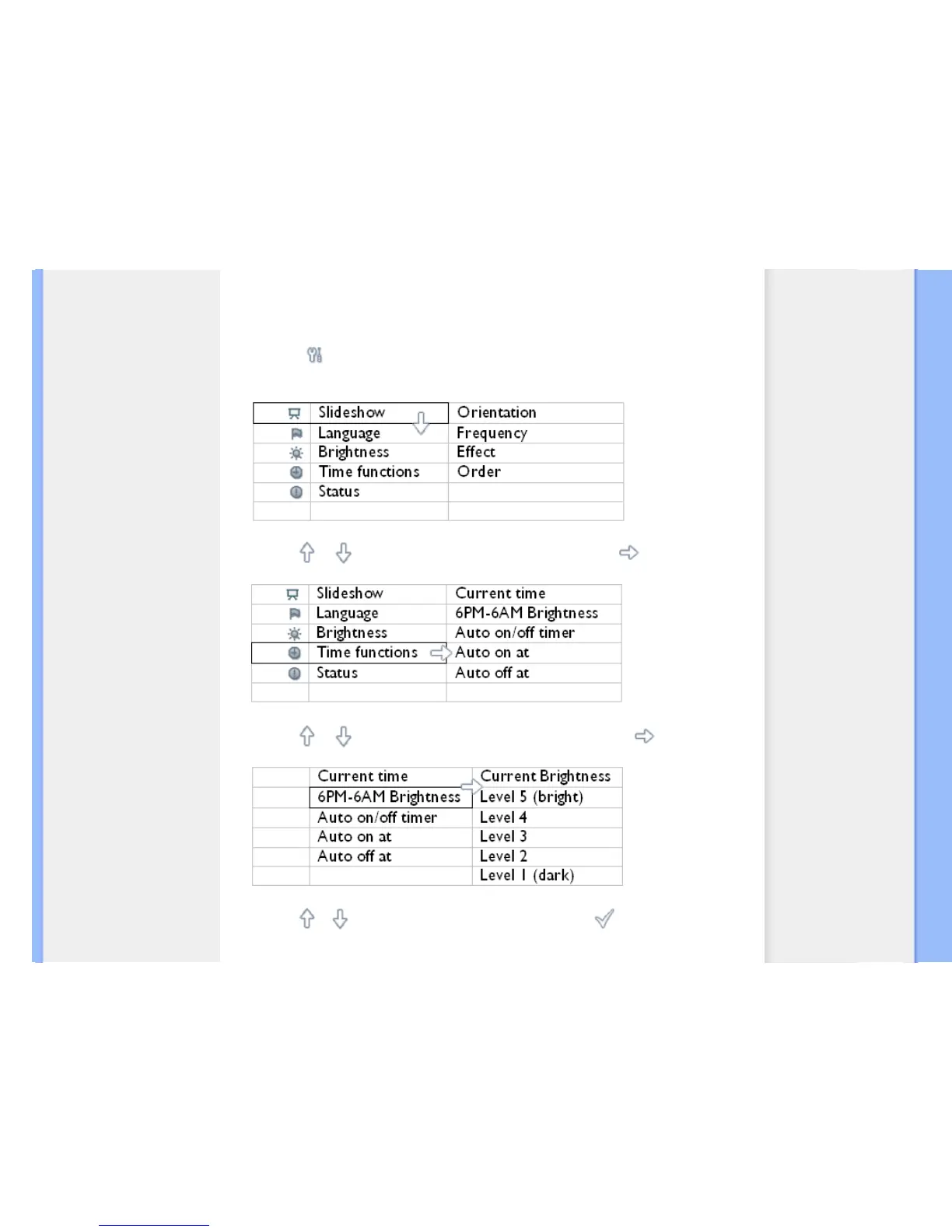
Setting evening brightness level
Local time must be set correctly before setting up this feature
•
Turn on Photo Display
•
Press the key (the 3
rd
key from the left on the rear of Photo Display).
A menu with general settings for Photo Display will appear.
•
Use the or key to highlight Time functions. Next, press the key to select.
•
Use the or key to highlight 6PM-6AM Brightness and press the key to select.
•
Use the or key to modify the brightness level and press to confirm and leave.
If you choose Current Brightness, brightness will remain the same during the evening.



 To Next Page