22
Settings
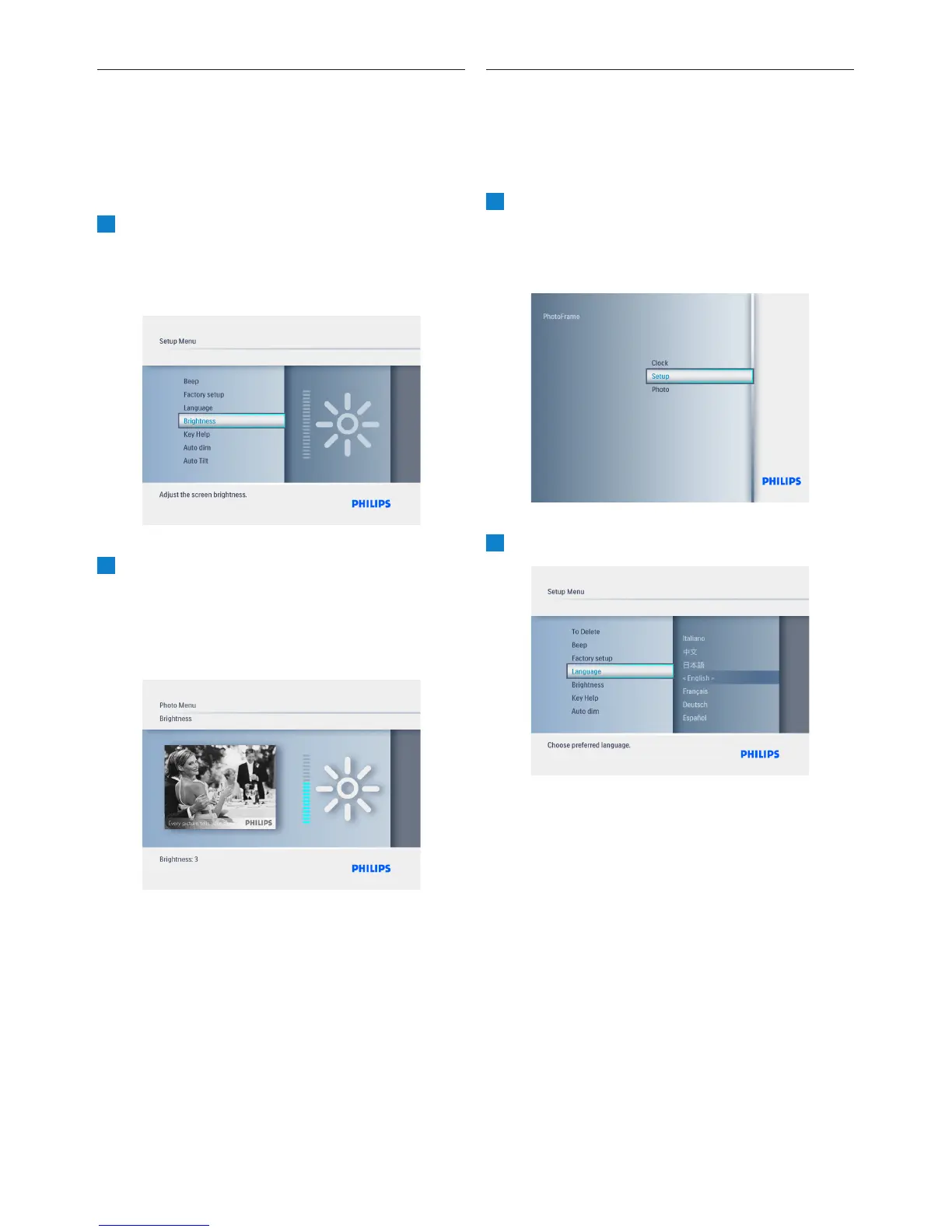
6.6 Brightness
Change the brightness settings of the
PhotoFrame to achieve the best visibility
depending on the light conditions.
1
• Press the Mode button to access the
Main Menu.
• Navigate Up to Settings and press the
Play/OK button.
2
• Navigate Down to access Brightness
and navigate Right.
• Navigate Up and Down to select the
brightness of the screen from 0 ~ 5
• Press Play/OK to confirm.
Press the Mode button to leave this menu
and play the slideshow.
6.7 Language
Use this section to choose the menu language of
the PhotoFrame.
1
• Press the Mode button to access the
Main Menu.
• Navigate Up to Settings and press the
Play/OK button.
2
Navigate Down to go to language.



 To Next Page