17
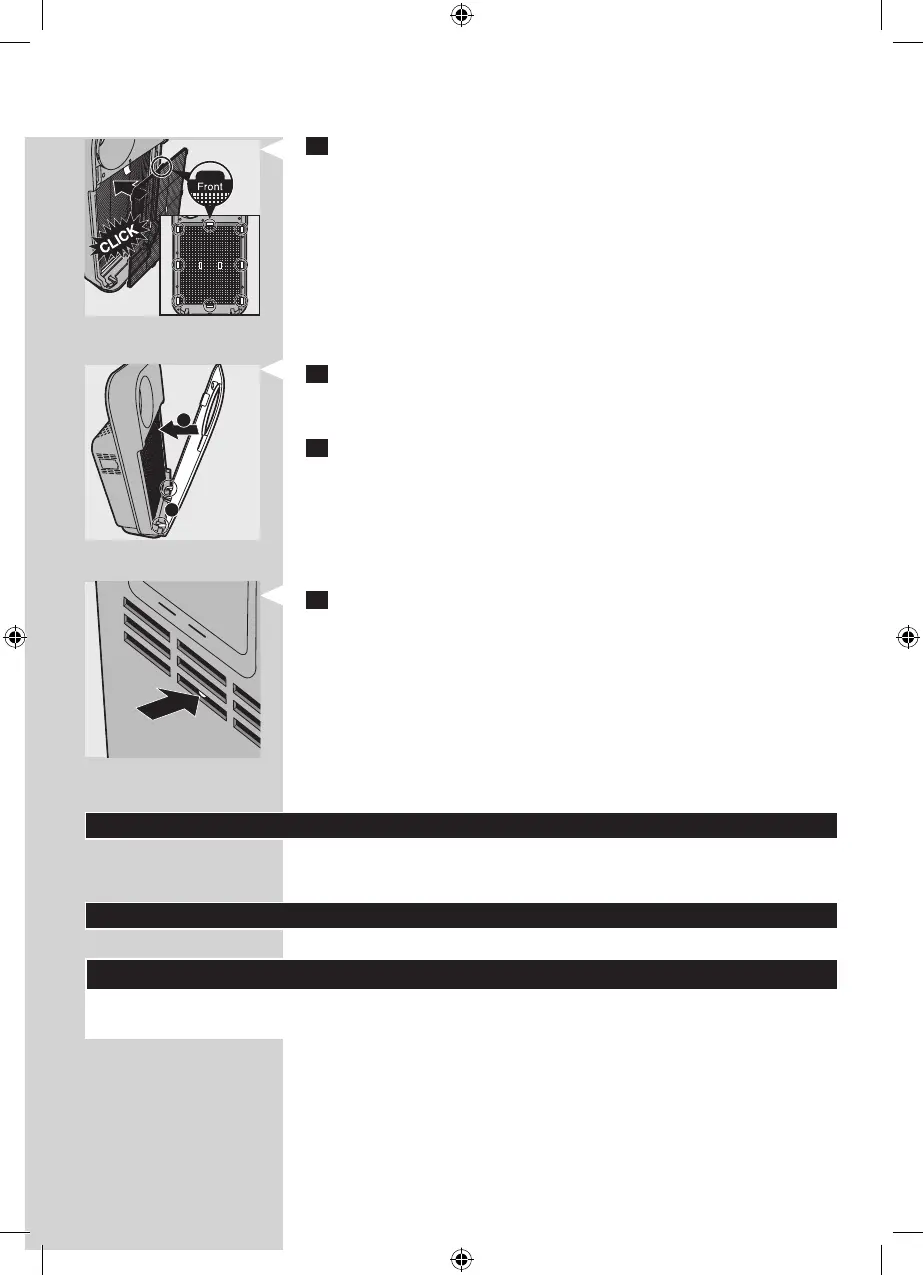
7 Put lter 1 (pre-lter) back into the appliance.
Note: Make sure that the side with the two projections is
pointing towards you.
Note: Make sure that all hooks are properly attached to the
appliance.
8 To reattach the front panel, insert the bottom hooks into
the bottom of the appliance rst (1). Then push the panel
against the body of the appliance (2).
9 Put the plug in the wall socket and switch on the appliance
again.
10 Press the lter reset button with a thin tool.
Note: You do not need to press the lter reset button after
cleaning lter 1 (pre-lter).
Note: You cannot reset the appliance when you replace a
lter before its lter replacement light starts ashing.
Note: You cannot reset the appliance if it is not plugged in
and switched on.
Storage
To store the mains cord, wind it round the cord storage facility
at the bottom of the appliance.
Accessories
New lters are available under the following type numbers:
Filter Type number
Filter 2: High-eciency formaldehyde removal
HEPA lter
AC4147
1
2



 To Next Page