7 EN
Charge the iPod/iPhone
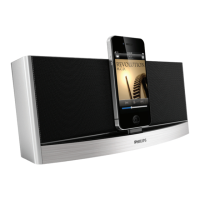
When the docking speaker is connected to
power, the docked iPod/iPhone begins to
charge automatically.
Play from an external audio
device
With this docking speaker, you can also enjoy
audio from an external device such as an MP3
player.
Note
•
Make sure that no iPod/iPhone is docked in the speaker.
1 ConnectanMP3linkcable(notsupplied)
to:
• the MP3-LINK socket at the back of
the docking speaker.
• the headphone socket on an external
device.
» The docking speaker switches to MP3
link mode automatically.
2 Play audio on the device (see the device's
usermanual).
Adjust volume
During play, press -/+ to adjust volume.
5 Product
information
Note
•
Product information is subject to change without prior
notice.
Specications
Amplier
Total Output Power 10 W per channel x 2
Signal to Noise Ratio > 62 dBA
MP3 Link 650 mV RMS
General information
AC Power Model: AS190-100-
AE180(Philips);
Input: 100-240 V ~,
50/60Hz,0.7A;
Output: 10 V
1.8 A
Operation Power
Consumption
15 W
Standby Power
Consumption
<0.5 W
Max. load for iPod/
iPhone
5 V
1 A
Dimensions - Main Unit
(WxHxD)
275 x 117 x 121 mm
Weight - Main Unit 1.2 kg



 To Next Page