Controls
Congratulations on your purchase and
welcome to Philips!
To fully benifit from the support that
Philips offers,register your product at
www.philips.com/welcome.
Supplied accessories
– 1 X certified AC 7.5V adapter
(Model:AK00G-0750025SW;
Input: 100-230V~, 50/60Hz, 0.2A;
Output: 7.5V 250mA)
– 1 X outdoor sensor
Controls (see 1)
1 ALM 1/ ALM 2
– activate/confirm ALARM 1 /ALARM 2 time
setting
– switch off the alarm
2 RADIO ON/OFF
– switch the radio on/off
– switch the set on or to standby
– stop the active buzzer or radio alarm for 24
hours
– switch off -the sleep timer
3 TIME SET
– activate/confirm clock/date setting
4 AUTO SCAN/DATE
– program preset radio stations
– display month and day information in
standby mode
– change display order between month and
day during setting time
– receive transmission from the sensor
5 DISPLAY
– toggle between indoor temperature, indoor
humidity and outdoor temperature
6 RADIO•BUZ
– select alarm mode: radio or buzzer
7
REPEAT ALARM/BRIGHTNESS CONTROL
– push to switch off alarm for a 9-minute
period
– change the brightness of the display
illumination
8 LCD Display – show the clock/ alarm time
or radio and weather forecast information
9 SLEEP/ALARM RESET
– switch off radio for timer mode
– adjust timer options for radio playback
– stop the active buzzer or radio alarm for 24
hours
0 PRESET +/-
– select a preset radion station
! TUNING +/-
– tune to radio stations
– adjust clock / alarm time
@ VOL– adjust sound level
# Color lamp
– indicate the different forthcoming weather
situation
$ Battery compartment – open to insert 4
x 1.5V AAA batteries
% RESET
– press if the set/display does not react to
operation of any button
^ (
o
C
o
F) Slide Switch
– select between Centigrade (
o
C) or
Fahrenheit (
o
F) temperature unit display
& DC 7.5V
– socket for AC/DC 7.5V adapter
* Pigtail – FM antenna to improve FM reception
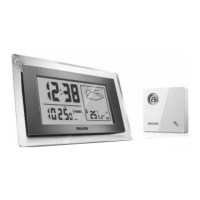
Controls on the sensor (see 1)
1 LCD display
– show current temperature, and low bat-
tery indication of the sensor
2 LED light
– flash when the sensor is transmitting
3 RESET
– reset to start transmitting
4 (
o
C
o
F) Slide Switch
– select between Centigrade (
o
C) or
Fahrenheit (
o
F) temperature unit display
5 CHANNEL 1/ 2 /3
– select RF channel to transmit and receive
between the senor and the main unit
6 Door lock
– turn to lock and un-lock the sensor door.
7 Sensor support
– pull out to stand the sensor


 To Next Page