15
English
EN
Activate Bluetooth with Fidelio app
Philips Fidelio app helps to connect your
Android-powered device and docking speaker
through Bluetooth automatically.
1 Press to activate Bluetooth on the
device.
» The Bluetooth indicator
begins to
blink.
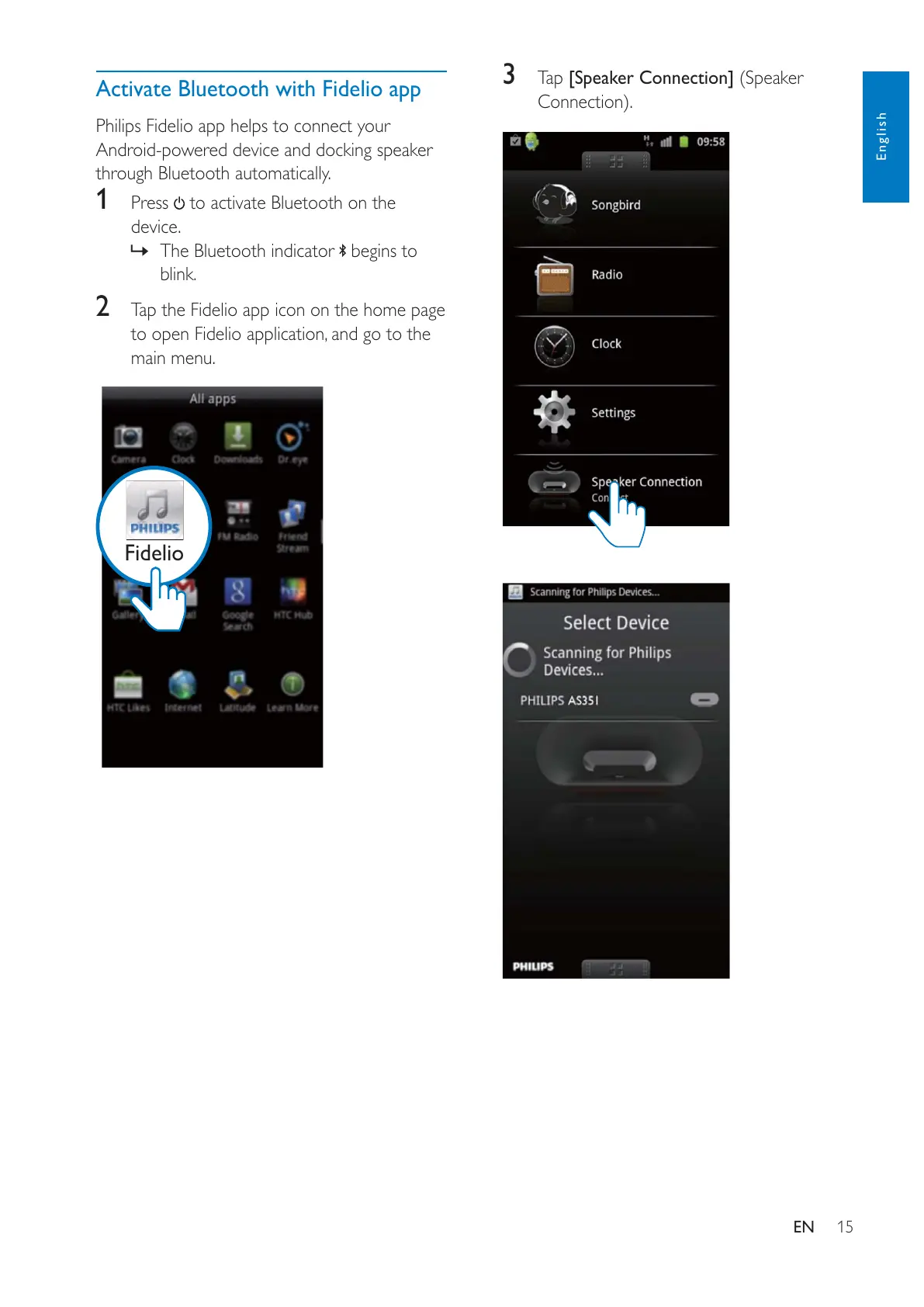
2 Tap the Fidelio app icon on the home page
to open Fidelio application, and go to the
main menu.
Fidelio
3 Tap [Speaker Connection] (Speaker


 To Next Page