Need help?
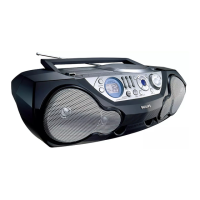
Do you have a question about the Philips AZ1575 and is the answer not in the manual?
Information regarding the mains plug, fuse replacement, and connection procedures for UK users.
Detailed instructions on connecting the mains lead wires to the plug terminals, including color coding.
Instructions for inserting and handling batteries, including optional usage for power supply.
Guidance on connecting the device to AC mains power, including voltage checks.
How to turn the device on and off using the power slider and other controls.
Instructions for adjusting volume, bass, mid, and high frequencies for optimal audio.
Instructions for inserting, playing, pausing, and stopping CDs.
Solutions for problems related to no sound output or the device not powering on.
Troubleshooting steps for poor radio signal or noise.
Reasons and remedies for the CD player skipping tracks.
 General
| Brand | Philips |
|---|---|
| Model | AZ1575 |
| CD Player | Yes |
| Playable disc formats | CD, CD-R, CD-RW |
| FM Radio | Yes |
| Audio system | Stereo |
| AC input voltage | 220-240V |
| AC input frequency | 50/60 Hz |
| Cassette Player | Yes |
| Audio Playback Modes | Repeat |
| Tuner Bands | FM |
| Speakers | 2 |
| Power Source | AC |
| Power type | AC |


 To Next Page