CONTROLS
4
English
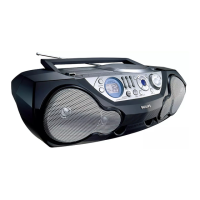
TOP AND FRONT PANELS
1 DIGITAL EQUALIZER – selects volume or the
various frequency for adjustment: volume,
bass, mid and high frequencies
2 VOLUME/SOUND CONTROL CENTER –
adjusts the volume level and digital equalizer
settings
3 DIGITAL DBB (Dynamic Bass Boost) –
enhances the bass
4 INCREDIBLE SURROUND – creates a super-
enhanced stereo effect
5 POWER slider – selects the sound source for
CD/ TUNER/ TAPE and also
switches the set off
6 CASSETTE RECORDER keys:
RECORD 0 – starts recording
PLAY 1 – starts playback
SEARCH 5, 6 – fast winds/rewinds the
tape
OPEN•STOP /9– opens the cassette
compartment;
– stops the tape
PAUSE ; – interrupts recording or playback
7 OPEN•CLOSE – opens/ closes the CD door
8 STOP 9 – stops CD playback or erase a CD
programme
9 PLAY•PAUSE 2; – starts or interrupts CD
play
0 BATT LOW – indicates when battery power
is running low
! PROG – CD: programmes tracks and reviews
the programme;
Tuner: programmes preset radio
stations
@ SHUFFLE – plays CD tracks in random order
# SEARCH ∞, §
TUNER: – (down, up) tunes to radio stations;
CD: – searches back and forward within a
track;
– skips to the beginning of a current
track/ previous/ subsequent track
$ REPEAT – repeats a track / CD programme /
entire CD
% Display – shows the status of the set
^ REMOTE SENSOR –
infrared sensor for remote control
& BAND: selects waveband
* TUNER PRESET 4, 3 – selects a preset
tuner station (down, up)
BACK PANEL
( p – 3.5 mm headphone socket
) Telescopic aerial – improves FM reception
¡ AC MAINS – inlet for mains cord
™ Battery door
REMOTE CONTROL
1 VOLUME
+,–– adjusts volume level
2 PRESET 3,4 (up, down) – selects a preset
radio station
3 TUNING ∞, § (down, up) – tunes to radio
stations
4 SHUFFLE – to play CD tracks in random order
5 REPEAT – repeats a track/ CD programme/
entire CD
6 2; – starts CD playback/ interrupts CD
playback
7 ¡, ™ – skips to the beginning of a current
track/ previous/ subsequent track
8 STOP 9 – stops CD playback or erases a CD
programme
9 SEARCH 5, 6 – searches backwards or
forwards within a track/CD
This product complies with the radio interference requirements of the European Union.
The type plate is located on the bottom of the set.
AZ15750A 15-12-2000 18:35 Pagina 4



 To Next Page