FEATURES
16
You can store the last position played. When restarting,
playback continues from where you have stopped.
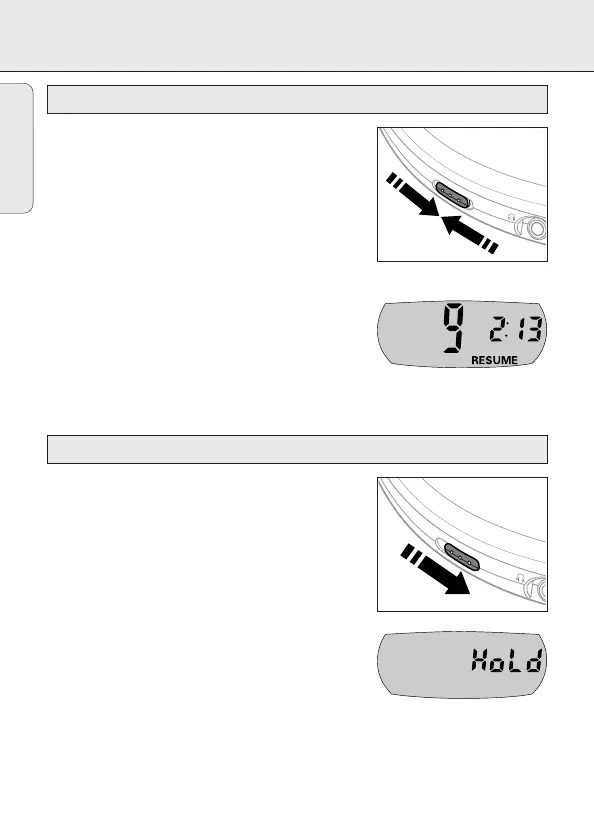
1 Switch the slider to RESUME during playback to
activate RESUME.
y RESUME is shown.
2 Press 9 whenever you want to stop playback.
3 Press 2; whenever you want to resume playback.
y RESUME is shown and playback continues from
where you have stopped.
• To deactivate RESUME, switch the slider to OFF.
y RESUME goes off.
You can lock the buttons of the unit. When a key is
pressed, no action will be executed then.
1 Switch the slider to HOLD to activate HOLD.
y All buttons are locked. HoLd is displayed if you
press any key. If the unit is switched off, HoLd
is displayed only if you press 2;.
2 To deactivate HOLD, switch the slider to OFF.
Note: When you deactivate HOLD by switching the
slider to RESUME and restart, playback continues
from where you have stopped.
O
F
F
•
R
E
SU
M
E
•
H
O
L
D
L
I
N
E
O
U
T
/
Locking all buttons – HOLD
O
F
F
•
R
E
S
U
M
E
•
H
O
L
D
L
I
N
E
O
U
T/
Storing the last position played – RESUME
English



 To Next Page