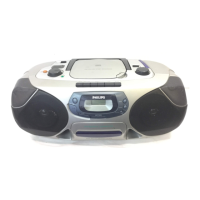
CONTROLS, refer to the illustration on page 3
6
1 9 .....................stops CD play, clears a program or switches the player off
2 DIGITAL DBB ...DIGITAL DYNAMIC BASS BOOST switches the bass enhancement
on and off
3 §....................skips and searches CD tracks forwards
4 2;...................switches the player on, starts or pauses CD play
5 ........................display
6 ∞....................skips and searches CD tracks backwards
7 PROGRAM.......programs tracks and reviews the program
8 MODE..............selects the different playing possibilities:
SHUFFLE,
SHUFFLE REPEAT ALL, REPEAT, REPEAT ALL and SCAN
9 RESUME..........stores the last position of a CD track played
HOLD..............locks all buttons
OFF ..................switches RESUME and HOLD off
0 LINE OUT/p....3.5 mm headphone socket, socket to connect the player to another
analogue audio input of an additional appliance, remote control
socket (not on all versions)
! VOL E.........adjusts the volume
@ OPEN 2...........opens the CD lid
# 4.5V DC...........socket for external power supply
$ ........................typeplate
% ESP..................ELECTRONIC SKIP PROTECTION ensures continuous CD playback
regardless of vibrations and shocks
English
This set complies with the radio interference requirements of the
European Community.



 To Next Page