Play an iPod player
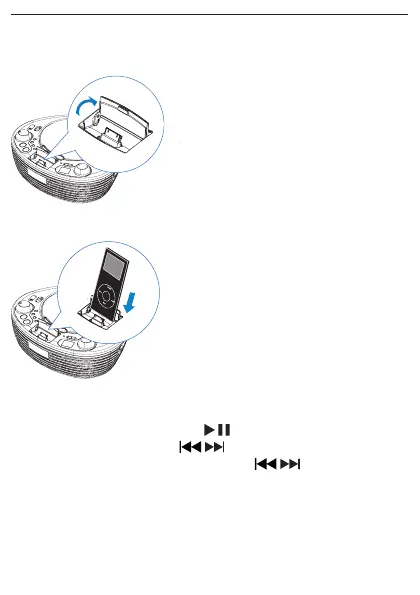
1 Lift to open the dock for iPod.
2 Place the iPod player in the dock.
3 Push the source selector to iPod.
To pause/resume play, press •
.
To skip to a track, press •
/ .
To search during play, press and hold •
/ , then release to
resume normal play.



 To Next Page