EasyManua.ls Logo

Philips Bodygroom 3500 - User Manual

Philips Bodygroom 3500
9 pages
Print Icon
To Next Page IconTo Next Page
Loading...
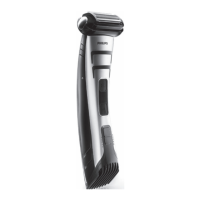
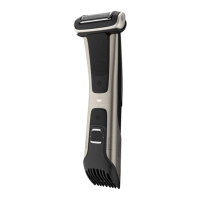
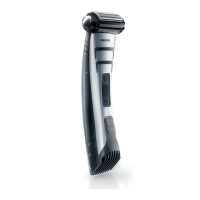
Philips Norelco Bodygroom 3500 Showerproof body groomer BG5025/49
Frequently Asked Questions
Click on a question to go directly to the answer:
1. Can I rinse my Philips Groomer with water?
2. Where is the model and serial number of my Philips Male Groomer?
3. What do the symbols on my Philips Groomer mean?
4. Can I use my Philips Groomer while connected to the power outlet?
5. On which areas can I use my Philips Body Groomer?
6. How do I charge my Philips Groomer?
7. How do I change the length settings of my Philips Groomer?
1. Can I rinse my Philips Groomer with water?
You can rinse your Philips Groomer or Trimmer only if it is waterproof. You can check that by looking
at the signs and symbols printed on your groomer's box or body.
Crossed out tap symbol
If you see a crossed out tap symbol on the box or body of your groomer, it means that the groomer is
not washable and should be cleaned without water.
Tap symbol
A tap symbol printed on your grooming device indicates that it is washable and its parts (cutters and
combs) can be cleaned with water. However, this does not mean that you can use it to clip or trim
your hair in the shower or bath.
Question and Answer IconNeed help?

Do you have a question about the Philips Bodygroom 3500 and is the answer not in the manual?

Summary

Can I rinse my Philips Groomer with water?

Crossed out tap symbol

Explains the meaning of the crossed-out tap symbol indicating non-washability.

Tap symbol

Explains the tap symbol indicating washability.

Bath or shower symbol

Explains the shower symbol indicating waterproofing and usage in shower.

Where is the model and serial number of my Philips Male Groomer?

Back of the device

Specifies the location of model/serial numbers on the back of the device.

Top of the device

Describes finding numbers on top of hair/beard trimmers.

Inside the handle

Explains finding numbers inside the battery compartment of nose trimmers.

What do the symbols on my Philips Groomer mean?

Charging indications

Explains various charging indicators and lights on grooming devices.

Travel lock

Details the travel lock functionality and how to activate/deactivate it.

Turbo mode

Explains the 'T' symbol for Turbo Mode and its usage.

Quiet mode

Describes the baby symbol for Quiet Mode and its purpose.

Oil reminder

Explains the oil drop symbol as a reminder to oil the groomer.

Can I use my Philips Groomer while connected to the power outlet?

Showerproof and washable devices

Explains that waterproof devices won't work when plugged in.

Non-washable devices

States that non-washable devices can be used while plugged in.

Washable devices

Clarifies that some washable devices can be used corded, but unplugged for cleaning.

On which areas can I use my Philips Body Groomer?

How do I charge my Philips Groomer?

Charging instructions for Philips Groomers

Provides step-by-step instructions for charging groomers.

Charging your Philips Groomer with a charging stand

Details how to charge using a charging stand.

Battery operated devices

Explains battery replacement for devices using disposable batteries.

How do I change the length settings of my Philips Groomer?

Click-on combs

Explains how to use click-on combs for length adjustment.

Adjustable comb

Describes using adjustable combs with a slide mechanism.

Zoom wheel

Explains the function of the zoom wheel for length settings.

Push & Slide

Details a different type of sliding button for length adjustment.

Summary

Can I rinse my Philips Groomer with water?

Crossed out tap symbol

Explains the meaning of the crossed-out tap symbol indicating non-washability.

Tap symbol

Explains the tap symbol indicating washability.

Bath or shower symbol

Explains the shower symbol indicating waterproofing and usage in shower.

Where is the model and serial number of my Philips Male Groomer?

Back of the device

Specifies the location of model/serial numbers on the back of the device.

Top of the device

Describes finding numbers on top of hair/beard trimmers.

Inside the handle

Explains finding numbers inside the battery compartment of nose trimmers.

What do the symbols on my Philips Groomer mean?

Charging indications

Explains various charging indicators and lights on grooming devices.

Travel lock

Details the travel lock functionality and how to activate/deactivate it.

Turbo mode

Explains the 'T' symbol for Turbo Mode and its usage.

Quiet mode

Describes the baby symbol for Quiet Mode and its purpose.

Oil reminder

Explains the oil drop symbol as a reminder to oil the groomer.

Can I use my Philips Groomer while connected to the power outlet?

Showerproof and washable devices

Explains that waterproof devices won't work when plugged in.

Non-washable devices

States that non-washable devices can be used while plugged in.

Washable devices

Clarifies that some washable devices can be used corded, but unplugged for cleaning.

On which areas can I use my Philips Body Groomer?

How do I charge my Philips Groomer?

Charging instructions for Philips Groomers

Provides step-by-step instructions for charging groomers.

Charging your Philips Groomer with a charging stand

Details how to charge using a charging stand.

Battery operated devices

Explains battery replacement for devices using disposable batteries.

How do I change the length settings of my Philips Groomer?

Click-on combs

Explains how to use click-on combs for length adjustment.

Adjustable comb

Describes using adjustable combs with a slide mechanism.

Zoom wheel

Explains the function of the zoom wheel for length settings.

Push & Slide

Details a different type of sliding button for length adjustment.

Philips Bodygroom 3500 Specifications

General IconGeneral
TypeBody groomer
Power SourceRechargeable battery
Battery TypeLithium-ion
Wet & Dry UseYes
WaterproofYes
Cutter Width32 mm
Trimmer Length Settings3
CombYes
Cordless UseYes
Skin Protection SystemYes
Charging Time8 hours

Related product manuals