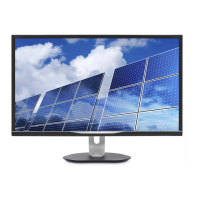
This document is a user manual for the Philips Brilliance 328B6 display, providing comprehensive information on its setup, operation, image optimization, technical specifications, power management, customer care, and troubleshooting.
Function Description
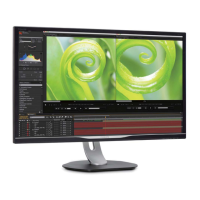
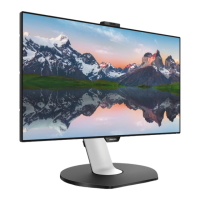
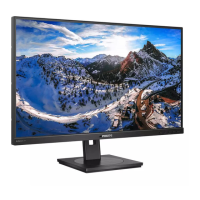
The Philips Brilliance 328B6 is a high-resolution flat panel display designed for optimal performance in various applications, from office work to multimedia consumption. It features SmartImage technology for dynamic content optimization and MultiView for enhanced multitasking. The display is MHL (Mobile High-Definition Link) certified, allowing direct connection to mobile devices for viewing content on a larger screen while simultaneously charging the device.
Important Technical Specifications
Picture/Display:
- Display Panel Type: IPS technology
- Backlight: LED
- Panel Size: 31.5" W (80.1 cm)
- Aspect Ratio: 16:9
- Pixel Pitch: 0.2727 x 0.2727 mm
- SmartContrast: 50,000,000:1
- Response Time: 8ms (GtG), 5ms (GtG)
- SmartResponse: Off, Fast, Faster, Fastest
- Optimum Resolution:
- VGA: 1920 x 1080 @ 60Hz
- DVI-Dual Link: 2560 x 1440 @ 60Hz
- HDMI: 2560 x 1440 @ 60Hz
- DisplayPort: 2560 x 1440 @ 60Hz
- MHL: 1920 x 1080 @ 60Hz
- Viewing Angle: 178° (H) / 178° (V) @ C/R > 10 (Typ)
- Picture Enhancement: SmartImage
- Display Colors: 1.07B (8bits + FRC)
- Vertical Refresh Rate: 56-76Hz (VGA/DVI/HDMI/DISPLAYPORT), 23-76Hz (MHL)
- Horizontal Frequency: 30-99KHz (VGA/DVI/HDMI/DISPLAYPORT/MHL)
- sRGB: YES
- Brightness uniformity: 93% - 105%
- Delta E (typ.): 2 for 6500K
Connectivity:
- Signal Input: DVI-Dual Link(Digital), VGA(Analog), DisplayPort, MHL-HDMI
- USB: USB3.0x2 (1 for USB fast charger)/USB2.0x2
- Input Signal: Separate Sync, Sync on Green
- Audio In/Out: PC audio-in, headphone out
Convenience:
- Built-in speaker: 3 W x 2
- Multi View: PIP/PBP mode, 2-devices
- User Convenience: Power ON/OFF, Menu/OK, Volume, MultiView, SmartImage
- OSD Languages: English, Deutsch, Español, Ελληνική, Français, Italiano, Maryar, Nederlands, Português, Português do Brasil, Polski, Русский, Svenska, Suomi, Türkçe, Čeština, Українська, 简体中文,繁體中文, 日本語, 한국어
- Other Convenience: VESA mount(100x100mm), Kensington Lock
- Plug & Play Compatibility: DDC/CI, sRGB, Windows 10/8.1/8/7/Mac OSX
Stand:
- Tilt: -5 / +20 degree
- Swivel: -170 / +170 degree
- Height adjustment: 180mm
- Pivot: 90 degree
Power:
- Consumption (Normal Operation):
- 100VAC, 50Hz: 61.9W (typ.), 95.00W (max.)
- 115VAC, 60Hz: 62.0W (typ.), 95.00W (max.)
- 230VAC, 50Hz: 62.10W (typ.), 95.00W (max.)
- Sleep (Standby): <0.5W (typ.), <0.3W (typ.)
- Off: 0W (typ.)
- Off (AC switch): 0W (typ.)
- Heat Dissipation:
- 100VAC, 50Hz: 211.26 BTU/hr (typ.)
- 115VAC, 60Hz: 211.6 BTU/hr (typ.)
- 230VAC, 50Hz: 211.95 BTU/hr (typ.)
- Power LED indicator: On mode: White, Standby/Sleep mode: White (blinking)
- Power Supply: Built-in, 100-240V AC, 50-60Hz
Dimensions:
- Product with stand (WxHxD): 742 x 657 x 270 mm
- Product without stand (WxHxD): 742 x 438 x 63 mm
- Product without packaging (WxHxD): 970 x 526 x 224 mm
Weight:
- Product with stand: 9.50 kg
- Product without stand: 6.90 kg
- Product with packaging: 13.41 kg
Operating Condition:
- Temperature range (operation): 0°C to 40 °C
- Relative humidity (operation): 20% to 80%
- Atmospheric pressure (operation): 700 to 1060hPa
- Temperature range (Non-operation): -20°C to 60°C
- Relative humidity (Non-operation): 10% to 90%
- Atmospheric pressure (Non-operation): 500 to 1060hPa
Environmental and energy:
- ROHS: YES
- EPEAT: YES (Refer to note 1 for more details)
- Packaging: 100% recyclable
- Specific Substances: 100% PVC BFR free housing
- EnergyStar: YES
Compliance and standards:
- Regulatory Approvals: CE Mark, FCC Class B, SEMKO, cETLus, CU-EAC, PSB, WEEE, CCC, CECP, GS, ISO9241-307, EPA
Cabinet:
- Color: Black
- Finish: Texture
Usage Features
Setting up the display:
- Installation: The display comes with a base that needs to be attached. The process involves placing the display face down, attaching the neck to the VESA mount area, tightening assembly screws, and securing the base to the stand.
- Connecting to PC: Instructions are provided for connecting the power cord, signal cable (VGA, DVI, DisplayPort, MHL-HDMI), and plugging into an outlet.
- Control Buttons: The display features buttons for power ON/OFF, OSD menu access, OSD adjustment, a user preference key, MultiView (PIP/PBP/Swap/Off), return to previous OSD level, and SmartImage hotkey.
- Customizable "USER" key: Users can assign their favorite function (Input, Audio Source, or Volume) to the "USER" hotkey for quick access.
- Independent audio playback (MultiView): When using MultiView, the display allows for independent audio playback from the sub-source, meaning the audio source can be different from the main display source.
- On-Screen Display (OSD): A user-friendly OSD window allows direct adjustment of display performance and functions. The manual provides a detailed overview of the OSD menu structure.
- Resolution Notification: The display is optimized for 2560 x 1440 @ 60 Hz. An alert is displayed if a different resolution is used, which can be switched off in the OSD.
- Physical Functionality: The display supports tilt (-5° to +20°), swivel (-170° to +170°), height adjustment (180mm), and pivot (90°).
Image Optimization:
- SmartImage: This exclusive Philips technology offers presets (Office, Photo, Movie, Game, Economy, SmartUniformity, Off) that dynamically adjust brightness, contrast, color, and sharpness in real-time to optimize the display for different content types.
- Office: Enhances text and dampens brightness for readability and reduced eye strain.
- Photo: Combines color saturation, dynamic contrast, and sharpness for vibrant and clear images.
- Movie: Ramps up luminance, deepens color saturation, dynamic contrast, and sharpness for detailed video display.
- Game: Optimizes response time, reduces jagged edges, and enhances contrast for bright and dark scenes.
- Economy: Reduces brightness and contrast for lower power consumption.
- SmartUniformity: Adjusts brightness and color across the screen for more consistent and true images.
- SmartContrast: This unique technology dynamically analyzes displayed content and automatically optimizes the display's contrast ratio for maximum visual clarity and viewing enjoyment. It provides crisp, bright images or dimming backlight for clear display of images on dark backgrounds, while also reducing power consumption.
MultiView:
- Functionality: Enables active dual connect and view, allowing simultaneous display of content from multiple devices (e.g., PC and Notebook) side-by-side.
- Modes: Supports Picture in Picture (PIP) and Picture by Picture (PBP) modes.
- Input Sources: Allows selection of VGA, DVI, MHL-HDMI, and DisplayPort as sub-display sources.
- PIP Size and Position: Offers three sub-window sizes (Small, Middle, Large) and two positions (Top-Right, Bottom-Right) for PIP mode.
- Swap Function: Allows swapping the main and sub-picture sources.
- MHL (Mobile High-Definition Link):
- Purpose: Connects MHL-certified mobile phones and other portable devices to the display for viewing HD videos and other content with digital sound.
- Charging: Simultaneously charges the mobile device.
- Connection: Requires an optional MHL cable connected to the mini USB port on the mobile device and the MHL-HDMI port on the display.
Maintenance Features
- Safety Precautions:
- Keep the display away from direct sunlight, strong bright lights, and heat sources to prevent discoloration and damage.
- Ensure ventilation holes are not blocked.
- Position the display so the power plug and outlet are easily accessible.
- Use only approved power cords provided by Philips.
- Avoid severe vibration or high impact conditions.
- Do not knock or drop the display.
- Cleaning:
- Unplug the display before cleaning.
- Wipe the screen with a dry cloth when power is off.
- Never use organic solvents (alcohol, ammonia-based liquids) to clean the display.
- Environmental Protection:
- Avoid exposing the display to dust, rain, water, or excessive moisture.
- If the display gets wet, wipe it with a dry cloth immediately.
- Burn-in/Ghost Image Prevention:
- Always activate a moving screen saver program when the display is unattended.
- Activate a periodic screen refresh application if displaying unchanging static content for extended periods. Failure to do so may result in permanent "burn-in" or "ghost image" symptoms not covered by warranty.
- Storage Conditions: Store and use the display within specified temperature (0-40°C / 32-104°F) and humidity (20-80% RH) ranges for optimal performance and longer lifetime.
- Service: Only qualified service personnel should open the casing cover. Contact local service centers for repair or integration documents.
- Pixel Defect Policy: Philips provides a detailed policy on pixel defects, outlining acceptable levels for bright dots, black dots, and proximity of pixel defects to qualify for repair or replacement under warranty.
- Customer Care & Warranty: Information on warranty coverage, extended warranty options, and contact details for Philips Customer Care Centers are provided.

 Need help?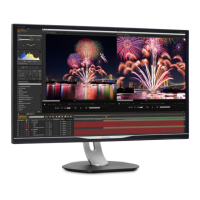



 To Next Page
 General