14
1 Press to release the panel.
2 Push the left side of the panel rightward,
then pull the panel towards you to
disengage it from the chassis.
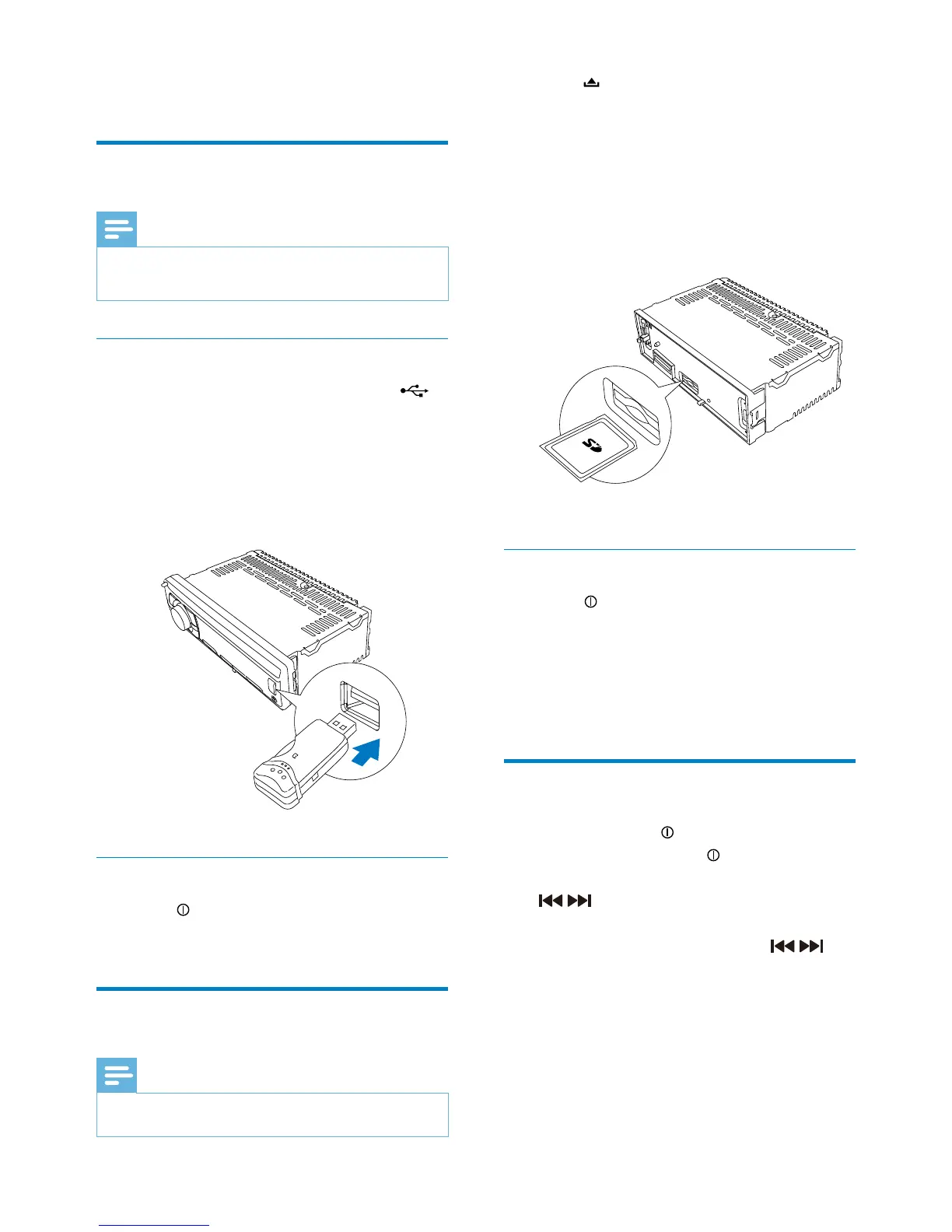
3 Insert the card into the card slot.
The unit starts playing from the card »
automatically.
Remove the card
1 Press to turn off the unit.
2 Press the card until you hear a click
sound.
The card is now disengaged. »
3 Remove the card.
Play options
To pause, press • .
To resume play, press •
again.
To skip to the previous/next track, press •
/ .
To search backward/forward rapidly •
within the current track, press
/ for
3 seconds.
5 Play audio files
Play from USB
Note
Ensure that the USB device contains playable •
music.
Insert the USB device
1 Slide the USB socket cover marked
to the left.
2 Insert the USB device into the USB
socket.
The unit starts to play from the USB »
device automatically.
Remove the USB device
1 Press to turn off the unit.
2 Remove the USB device.
Insert a card
Note
This unit supports SD and SDHC cards. •
EN



 To Next Page