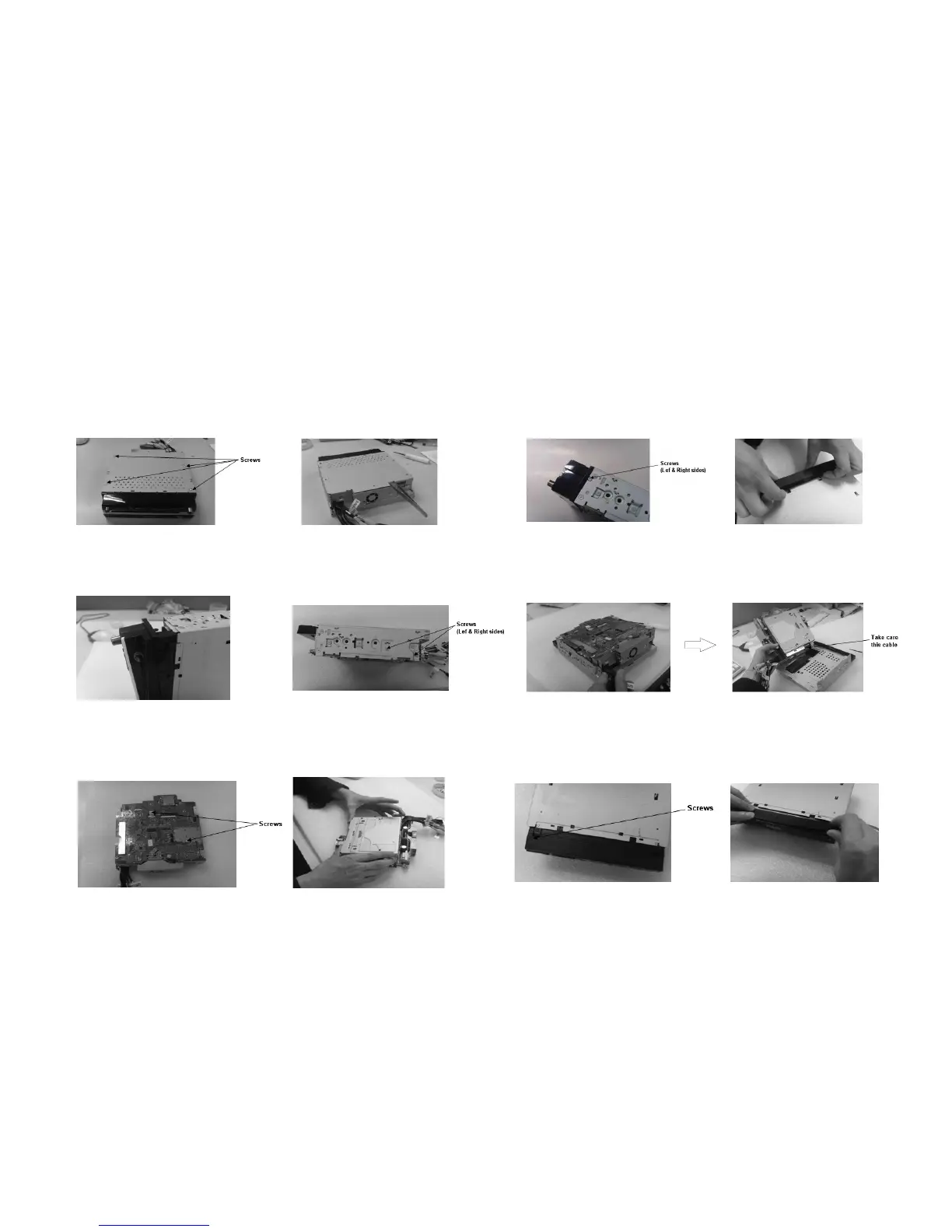
2. Take out the top cover with a forceps. 1. Loosen and take out the four screws
with a screw-driver.
7. Take out the main board.
8. Pull out the two pieces of connection-peg to the
loader carefully and take out the four screws
fastened the loader with a screw-driver.
9. Take out the loader.
3. Loosen and take out the two screws
with a screw-driver.
4. Take out the front panel.
5. Take out the front panel.
6. Loosen and take out the four screws
with a screw-driver.
10. Take out the three screws fastened the top
cover of the TFT monitor.
11. Take out the top cover of the TFT monitor.
Disassembly Diagram
3-1 3-1



 To Next Page