CM-150 CA Product Guide 15
Make Luminaire Cable Connections
Flex strands from Philips Color Kinetics can use a detachable leader cable, or the
strands can be connected directly to a CM-150 CA, Surface Mount, 3-Wire control
module. Leader cables range from 305 mm (1 ft) to 30.5 m (100 ft), while Flex
strands range from 152 mm (6 in) to 3.7 m (12 ft) distance from the connector to the
first node.
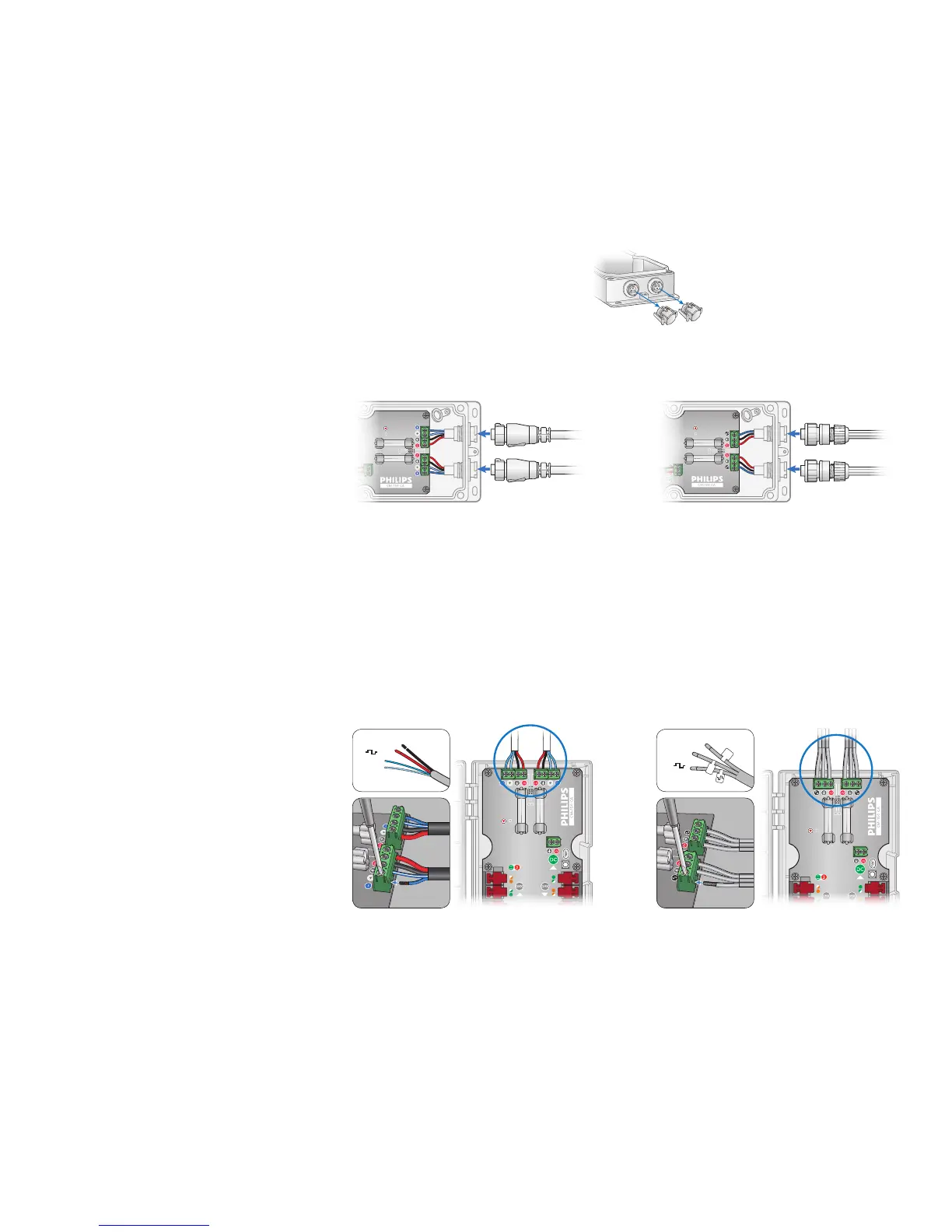
Surface Mount Installation
1. Remove the end caps.
2. Plug leader cable or the Flex strand into the CM-150 CA, and secure
the connection.
3-wire output4-wire output
DIN Rail Mount Installation
1. Strip 5 mm (0.2 in) of insulation from the wires. If using stranded wire, twist each
wire tight to secure the wire threads.
2. Run a leader cable to the top of the CM-150 CA housing.
3. Locate the luminaire three-wire or four-wire terminal block connectors inside the
CM-150 CA housing.
4. Securely install each wire in the appropriate terminal. Tighten the retaining screws
by hand with a screwdriver.



 To Next Page