EasyManua.ls Logo

Philips DC632 - Theft Protection System; Security Card Handling; Audio Control Settings; Power and Volume Adjustment

Philips DC632
19 pages
Print Icon
To Next Page IconTo Next Page
To Previous Page IconTo Previous Page
Loading...
Philips
Car
Systems
Security
Card
@
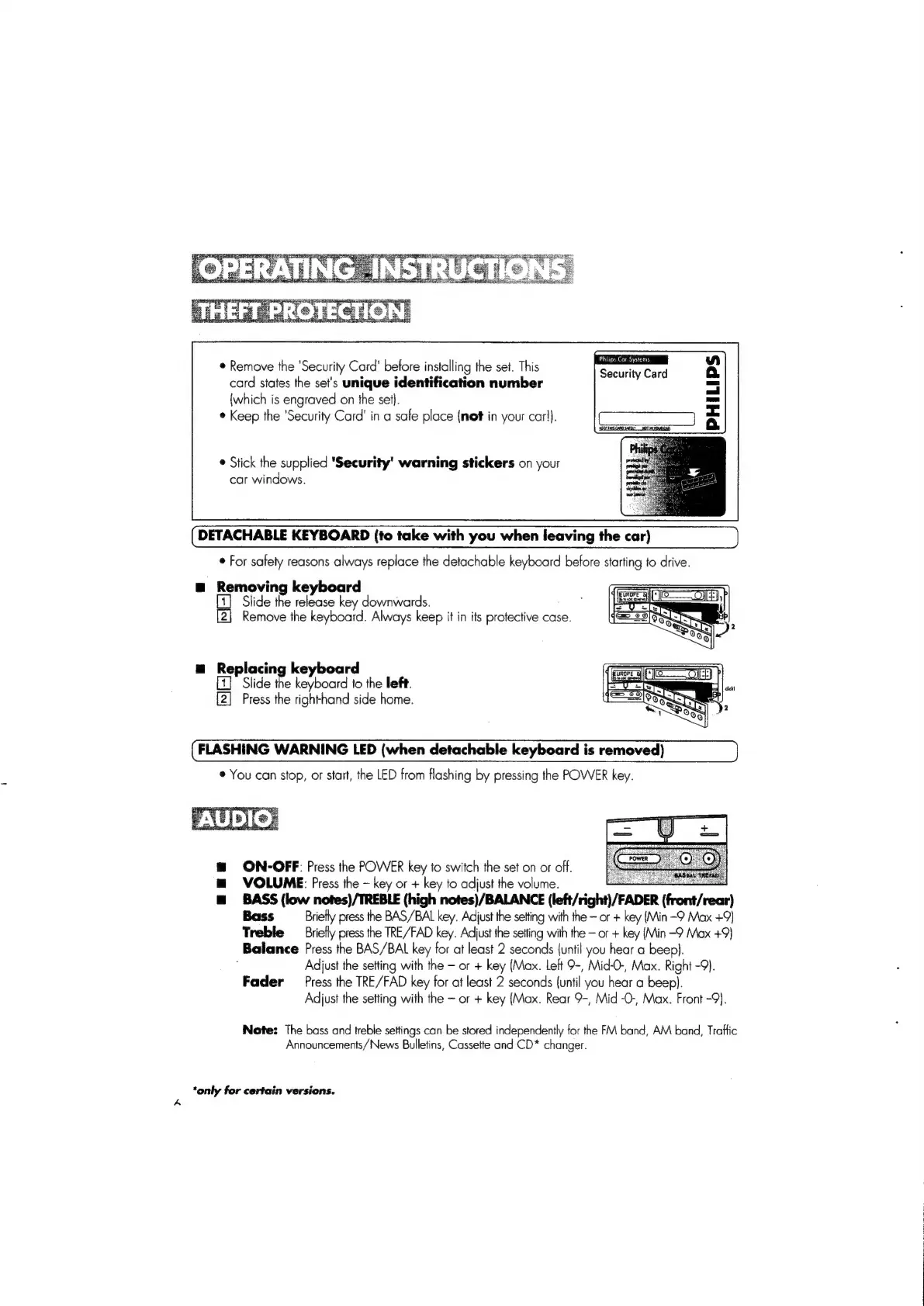
Remove
the
‘Security
Card'
before
installing
the
set.
This
card
states
the
set's
unique
identification
number
{which
is
engraved
on
the
set}.
*
Keep
the
‘Security
Card’
in
a
safe
place
{net
in
your
carl).
®
Stick
the
supplied
'Security'
warning
stickers
on
your
car
windows.
DETACHABLE
KEYBOARD
(to
take
with
you
when
leaving
the
car)
©
For
safety
reasons
always
replace
the
detachable
keyboard
before
starting
to
drive.
@
Removing
keyboard
Slide
the
release
key
downwards.
[2]
Remove
the
keyboard.
Always
keep
it
in
its
protective
case.
=
Replacing
keyboard
(pore
a
Ol)
b
Slide
the
keyboard
to
the
left.
cas
a
[2]
Press
the
righthand
side
home.
eos
9
FLASHING
WARNING
LED
(when
detachable
keyboard
is
removed)
©
You
can
stop,
or
start,
the
LED
from
flashing
by
pressing
the
POWER
key.
m@
ON-OFF:
Press
the
POWER
key
to
switch
the
set
on
or
off.
m
VOLUME:
Press
the
key
or
+
key
to
adjust
the
volume.
m@
BASS
(low
nofes)/TREBLE
(high
notes)/BALANCE
(left/right)/FADER
(front/rear)
Bass
Briefly
press
the
BAS/BAL
key.
Adjust
the
setting
with
the
or
+
key
(Min
-9
Max
+9)
Treble
Briefly
press
the
TRE/FAD
key.
Adjust
the
setting
with
the
or
+
key
(Min
-9
Max
+9)
Balance
Press
the
BAS/BAL
key
for
at
least
2
seconds
(until
you
hear
a
beep).
;
Adjust
the
setting
with
the
or
+
key
(Max.
Left
9-,
Mid-O-,
Max.
Right
-9).
Fader
Press
the
TRE/FAD
key
for
at
least
2
seconds
(until
you
hear
a
beep}.
Adjust
the
setting
with
the
or
+
key
(Max.
Rear
9-,
Mid
-O-,
Max.
Front
-9).
Note:
The
boss
and
treble
settings
can
be
stored
independently
for
the
FM
band,
AM
band,
Traffic
Announcements/News
Bulletins,
Cassette
and
CD*
changer.
‘only
for
certain
versions.

Related product manuals