12 FUNCTIONAL OVERVIEW
Remote control
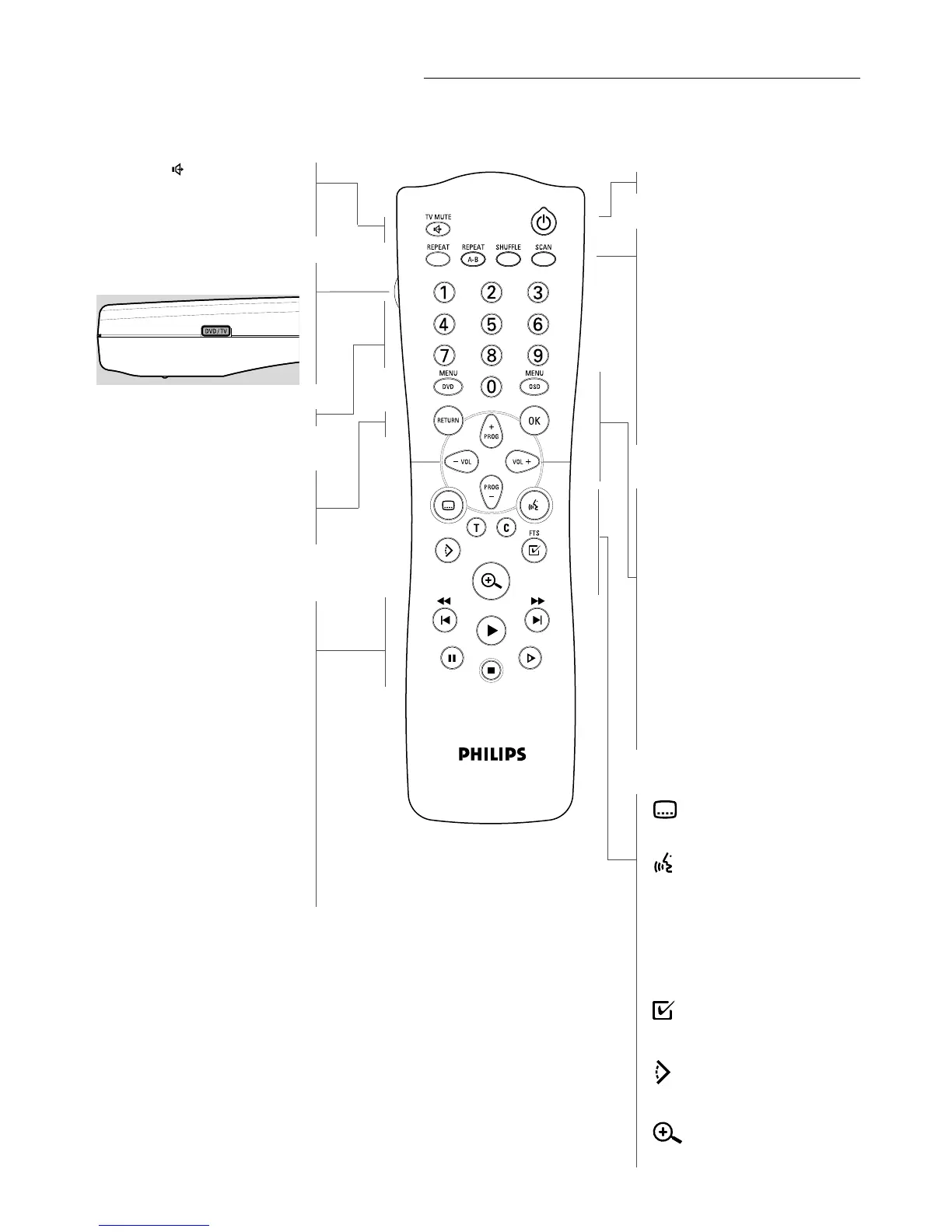
TV MUTE
- DVD-mode: selects Stereo, Dolby
Surround, 3D Sound reproduction
- TV-mode: mute ON/OFF
DVD/TV switch
- DVD mode/TV mode selector**
0-9 numerical key pad
RETURN
- go back to previous menu
OK
- acknowledge menu selection
Q O
- search backward* /
previous chapter or track
2
- play
R P
- search forward* /
next chapter or track
;
- pause playback temporarily /
frame-by-frame playback
9
- stop
x
- slow motion
STANDBY-ON
REPEAT
- repeat chapter, track, title, disc
REPEAT A-B
- repeat sequence
SHUFFLE
- playback tracks in random order
SCAN
- playback of the first 10 seconds
of each chapter within a title
(DVD) or the first 10 seconds of
each track on a disc (VCD/CD)
MENU DVD
- access menu of a DVD
MENU OSD
- access or remove On-screen
display
- bit rate indicator*
PROG +/-
- DVD mode: up/down cursor
movement
- TV mode: Program up/down
VOL +/-
- DVD mode: left/right cursor
movement
- TV mode: Volume up/down
- subtitle language selector
- audio language selector
T
- select title
C
- select chapter
- activate FTS
- select DVD camera angle
- enlarge video image
* Press key for about 2 seconds
** Press and hold while you press mute/VOL/PROG keys for compatible TVs
(Please refer to list of Setup Codes For Television from page 107 to 110)



 To Next Page