English
31
Playing MP3/WMA/JPEG
Picture CD
This DVD player can playback MP3,
WMA and JPEG les on a personally
recorded CD-R/RW disc, commercial
CD or USB device.
IMPORTANT!
You have to turn on your TV and set to
the correct Video In channel. (See page
17 ‘Finding your viewing channel’).
General Operation
A
Load a disc or plug in an USB device.
Î The disc reading time may exceed 30
seconds due to the complexity of the
directory/ le con guration.
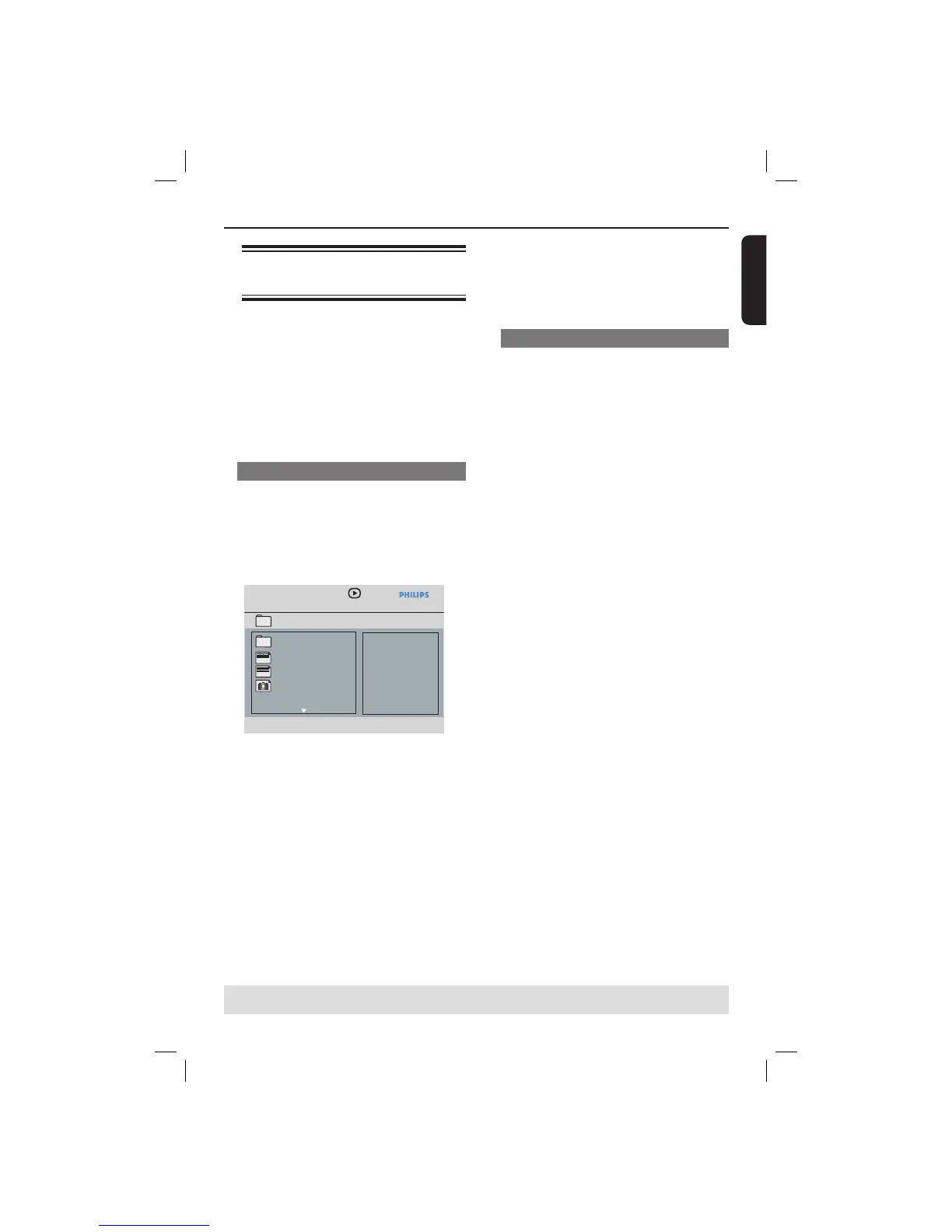
Î The data disc menu appears on the
TV screen.
MP3 Music 1
MP3 Music 2
Picture 1
--
\MP3_files_128kbs
01:42 04:40 128kbps
001/020
MP3
MP3
B Press PREV í / NEXT ë to go to
previous / next page of the menu.
C Press S T to select the folder and press
OK to open the folder.
D Press S T to select a track/ le.
z If a jpeg le is selected, a preview will
appear on the TV screen.
z If a MP3/WMA le is selected, ID3 (MP3 -
including at least title, singer and album)
and Meta data (WMA - including title,
artist, copyright and comment)
information appears on the TV screen.
Playback Features (continued)
TIPS: The operating features described here might not be possible for certain discs.
Always refer to the instructions supplied with the discs.
E Press OK to con rm.
Tip:
– If the playing le is not selected, the ID3/
Meta information will disappear.
Playback selection
During playback, you can;
z Press PREV í / NEXT ë to select
the previous/next track/ le in the current
folder.
z Press PLAY/PAUSE u repeatedly to
pause/resume playback.
01-51_dvp3166_94_eng1.indd 3101-51_dvp3166_94_eng1.indd 31 2006-12-11 1:04:17 PM2006-12-11 1:04:17 PM



 To Next Page