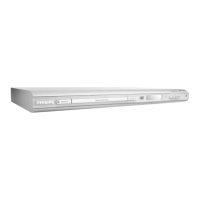
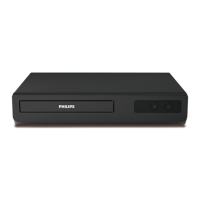
Functional Overview
Remote Control
PREVIEW MUTE
RETURN / TITLE
– To go back to previous menu /
show title menu
DISC MENU
– Enters the disc contents menu
– Switches on or off the playback
control mode (for VCD version
2.0 only)
1 2 3 4
– Selects an item in the menu/
fast forward/backward, slow forward/
backward
OK
– Acknowledge menu selection
S
– To search or select previous
chapter or track
STOP ( 9 )
– To stop playback
PLAY ( B )
– To start playback
PAUSE ( ; )
– To pause playback temporarily /
frame-by-frame playback
REPEAT
– Selects various repeat modes
REPEAT (A-B)
– Repeats playback a specific section
on a disc
PREVIEW
– To preview the content of a track
or whole disc
MUTE
– Disables or enables sound output
POWER B
–To switch the DVD player to
standby mode or ON
0-9 numerical key pad
– Selects numbered items in a
menu
DISPLAY
– Displays information on TV
screen during playback
SYSTEM MENU
– Access or exit DVD Player’s
system menu
T
–To search or select next chapter
or track
SUBTITLE
–To access subtitle language
system menu
ANGLE
– Selects a DVD camera angle
ZOOM
– Enlarge a picture on the TV
screen
AUDIO
–To access audio language system
menu
Helpful Hint:
Press “STOP” for about 2 seconds to
OPEN or CLOSE disc tray.



 To Next Page
 Loading...