18
Setting the time and date
If the display shows an incorrect time or '--:--', the time and date must be reset manually.
If a TV channel which transmits TXT/PDC (teletext/PDC) is stored under programme number
'P01', time/date will automatically be taken from the TXT/PDC information. (SMART CLOCK)
1 Switch on the TV set. If required, select the programme number for
the video recorder.
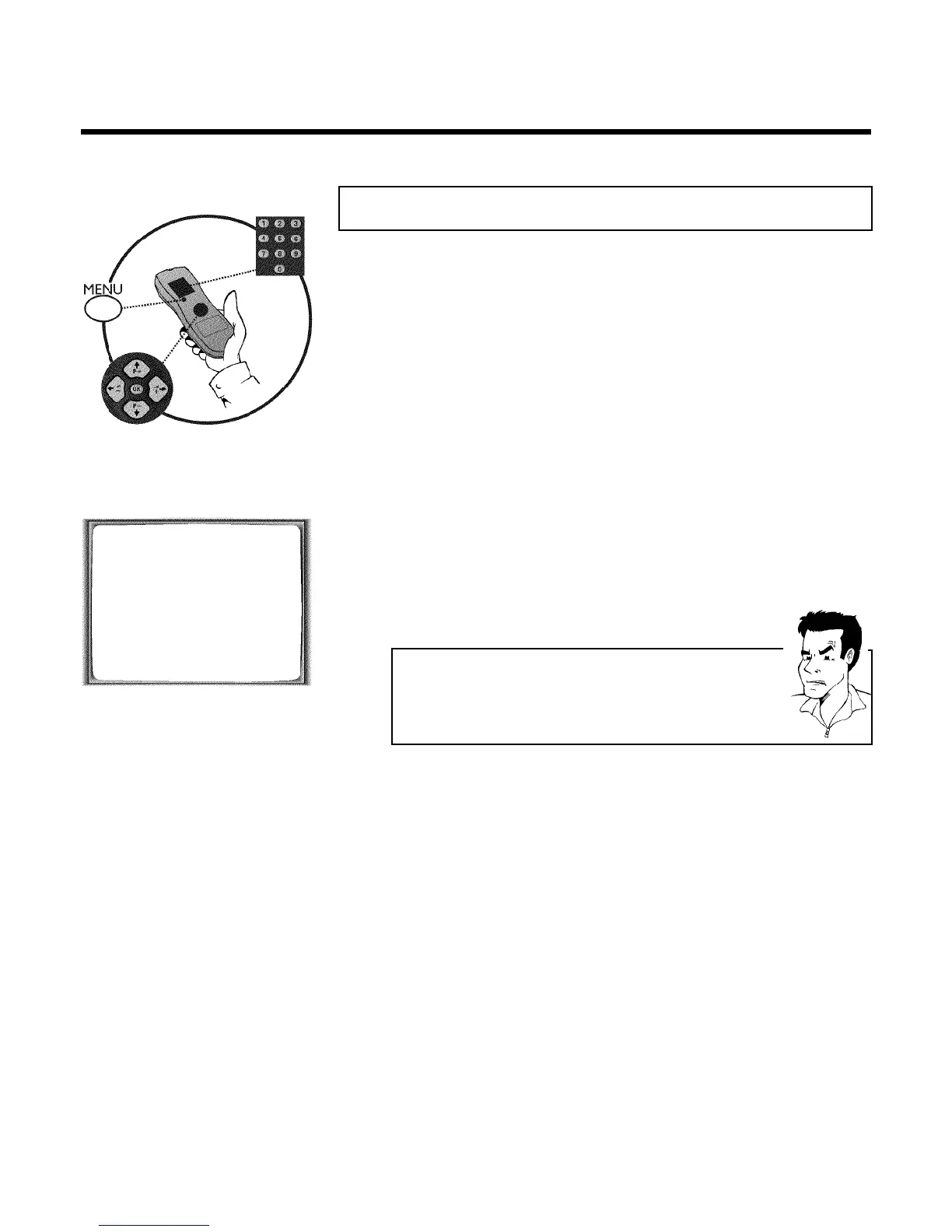
2 Press MENU on the remote control. The main menu will appear.
3 Select line 'CLOCK' using P =r or P ;q and confirm with OK .
CLOCK
YEAR è 2001 p
MONTH 01
DATE 01
TIME 20:00
SMART CLOCK ON
________________________________
EXITpMENU STOREpOK
4 Check the year in line 'YEAR'. If required, please change the year with
the number buttons 0-9 on the remote control.
5 Select the next line with P ;q or P =r .
6 Check 'MONTH', 'DATE' and 'TIME' in the same way.
a Time/date is displayed incorrectly despite manual setting
b With Smart Clock, time/date is transferred from the TV channel saved on
'P01' and automatically corrected.
Switch off Smart Clock. In line 'SMART CLOCK', select 'OFF' using
QSr or SqP .
You can switch on 'SMART CLOCK' again when you select 'ON'.
7 Check the displayed settings and confirm with OK .
'STORED' will appear briefly on the screen.
8 To end, press MENU .
Installing your video recording



 To Next Page