13
Digital Voice Tracer
Table of contents
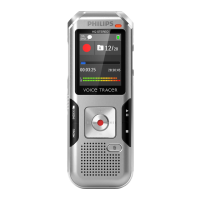
3.3.4 Keys (DVT3000 – DVT7000)
a DVT5000 – DVT7000: Soft function key F1
b DVT5000 – DVT7000: Soft function key F2
The function of the soft function keys depends on the
operating condition; the assigned function is shown on the
display
ce Short press: record playback (playback key), playback pause
(pause key)
Long press: set the playback speed
d+ Volume up, menu navigation: select menu functions
b Short press: jump to the next index mark, jump to the next
recording
Menu navigation: call next menu register
Press and hold: fast seek forward mode
– Volume down, menu navigation: Select menu functions
h Short press: jump to the previous index mark, jump to the
previous recording
Menu navigation: display next menu tab
Press and hold: fast seek rewind mode
ej Stop Playback (stop key), close Menu
f ERASE: Erase recording (Erase key)
g Short press: call up menu functions (MENU key)
hg Start recording (record key), confirm selection
i Stop mode: change folder, recording: set index mark
(INDEX/a key)













 To Next Page
