6
English
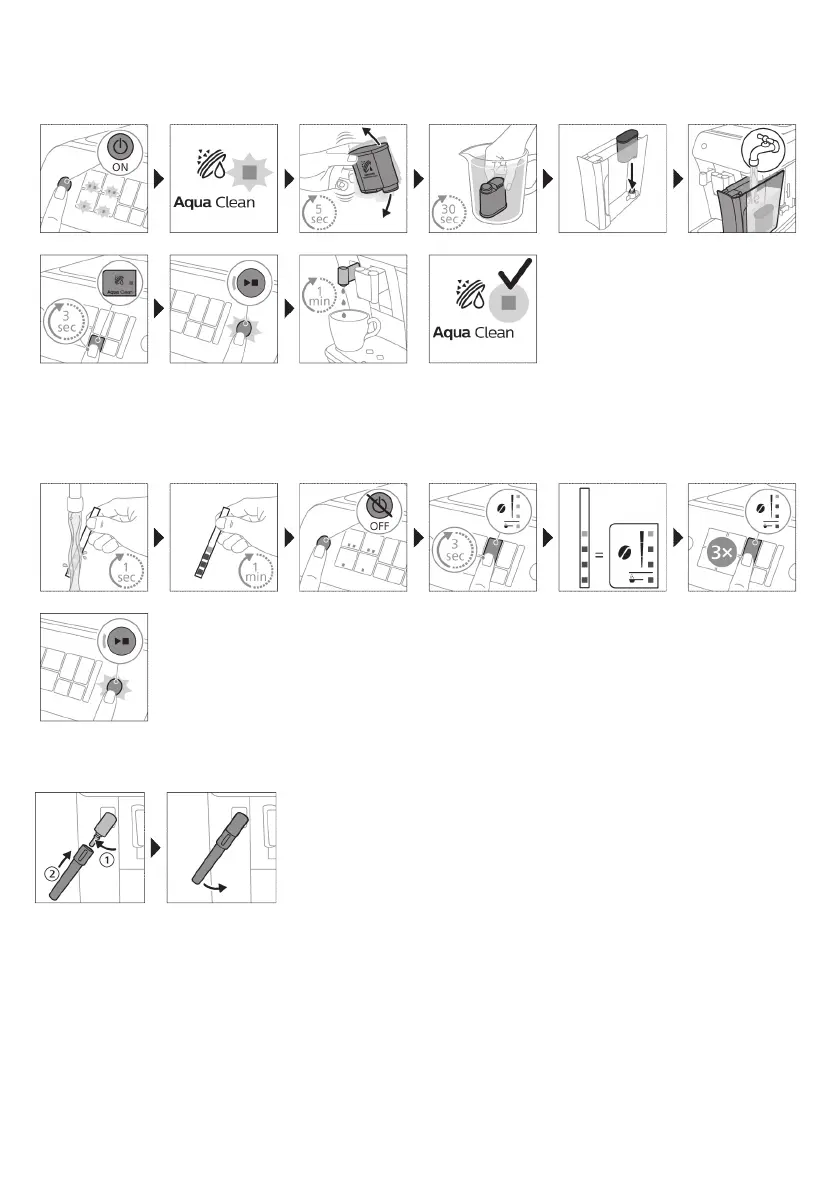
2. Activating the AquaClean water filter (5 min.)
For more information see chapter 'AquaClean water filter'.
3. Setting the water hardness
See chapter 'Setting the water hardness' for step-by-step instructions. The default water hardness setting
is 4: hard water.
4. Assembling the classic milk frother
Brewing drinks
General steps
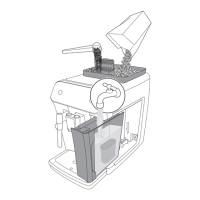
1 Fill the water tank with tap water and fill the bean hopper with beans.
2 Press the on/off button to switch on the machine.
-
The machine starts heating up and performs the automatic rinsing cycle. During heating up, the lights
in the drinks icons light up and go out slowly one by one.
-
When all lights in the drink icons light up continuously, the machine is ready for use.


 To Next Page