HEADPHONE / IN-CAR USE
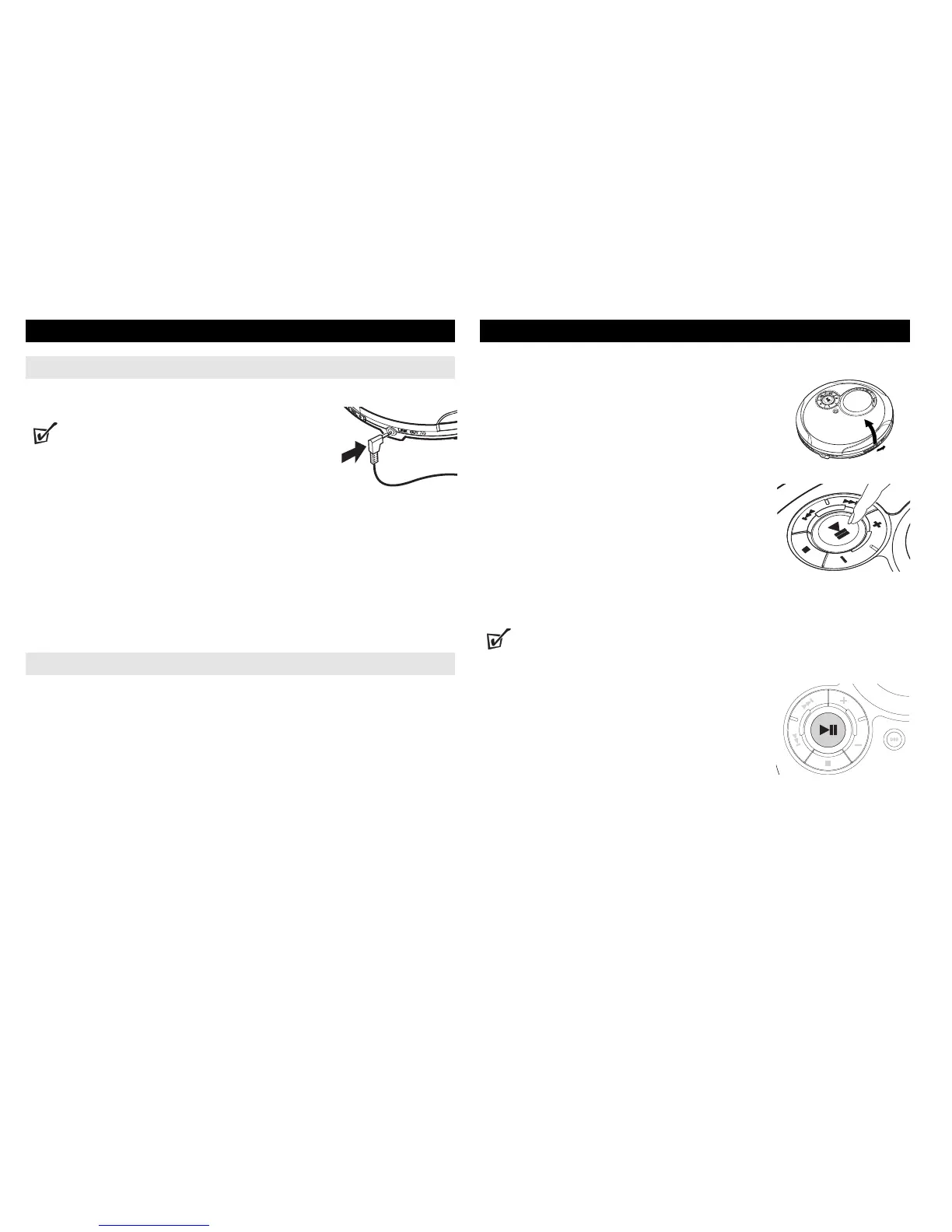
HEADPHONE HE225/HE270
• Connect the supplied headphones to the LINE OUT / p socket of the player.
Helpful Hints:
• LINE OUT/p can also be used to connect this set
with your HiFi system. To adjust the sound and vol-
ume, use the controls on the connected audio equip-
ment and the CD player.
IMPORTANT!
Hearing safety: Do not play your headphones at a high volume. Hearing experts
advise that continuous use at a high volume can permanently damage your hearing.
Traffic safety: Do not use headphones while driving a vehicle. It may create hazard
and it is illegal in many countries.
IN-CAR USE (connections supplied or optionally available)
Put the set on a horizontal, vibration-free and stable surface. Make sure it is in a
safe place, where the set is neither a danger nor an obstacle to the driver and
passengers.
PLAYING A CD
This CD player can play all kinds of Audio Discs
(including CD-Recordables and CD-Rewritables) and
MP3/WMA CDs. Do not try to play a CD-ROM, CDi,
VCD, DVD or computer CDs.
1 Push the OPEN 2 slider to open the player.
2 Insert an audio CD or a MP3/WMA CD, printed side
up, by pressing the CD onto the hub.
3 Close the player by pressing the lid down.
4 Press 2; to switch the player on and start playback.
➜ For an audio CD: the current track number,
CDA-Track and elapsed playing time are dis-
played.
For a MP/WMA CD: the filename scrolls, current album/track number and
elapsed playing time are displayed.
Helpful Hints:
–
Track type is indicated by the cursor 3 at WMA, MP3 and CD respectively.
To pause playback
• Press 2;.
➜ The elapsed playing time flashes.
• Press 2; again to continue playback.
D
I
S
P
L
A
Y





 To Next Page