
 Need help?
Do you have a question about the Philips 4 and is the answer not in the manual?
Charge the player for 5 hours before first use. Connect to PC USB port.
Connect player to PC USB port to transfer MP3/WMA files using Windows Explorer or MUSICMATCH Jukebox.
Connect remote control and headphones, then press ►II to start music playback.
Read user manual carefully for product operation and child safety, especially with neckstrap.
Listen at moderate volume to protect hearing. Avoid using headphones while driving or cycling.
Avoid twisting, excessive heat, drops, water exposure, harsh chemicals, and strong magnetic fields.
Player materials are recyclable. Dispose of packaging and old equipment according to local regulations.
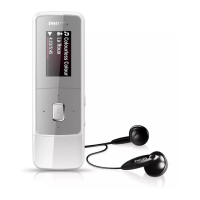
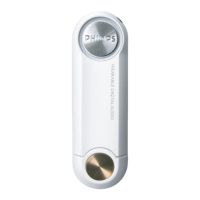
Diagram of player components including metal pin, USB port, indicator, and function switch.
Illustrates wired and neck strap remote controls and their connection to the player.
Explanation of player functions: metal pin, USB port, indicator lights, USB cover, and switch positions.
Describes remote functions: play/pause, track skipping, and volume adjustment for music playback.
Lists all items included in the package: CD-ROM, earphone, battery box, remotes, and warranty booklet.
Overview of KEY player capabilities: MP3/WMA playback, no DRM, software upgradeable, file transfer via USB.
Specifies PC hardware and software needed: processor, USB port, RAM, hard disk, CD-ROM, and video card.
Instruction for Win98: install drivers from CD-ROM before connecting player for the first download.
Guide to installing software: insert CD-ROM, follow on-screen instructions, and select product for installation.
Instructions for installing MUSICMATCH Jukebox or its plug-in, and accessing related tutorials or user manuals.
Player uses a built-in rechargeable battery charged directly via the computer's USB port.
Steps for charging: detach USB cover, turn on PC, set switch to OFF/CHARGE, connect player.
Instructions for using the AAA battery box as a backup power source for increased playtime.
Player signals low battery with beeps at intervals before automatically switching off.
Turn on player by holding ►II. Ensure switch is on PLAYBACK/DOWNLOAD for music playback.
Use the '+' and '-' buttons on the remote control to increase or decrease music volume.
Press ►II briefly to pause music; press again to resume. Indicator flashes slowly during pause.
Use ◄ to skip to the previous track or ►►► to skip to the next track.
Turn off player by holding ►II for over 2 seconds. Last song and volume settings are saved.
Player automatically powers down after 30 seconds of inactivity during pause to conserve energy.
Warning for Win98 users: install drivers from CD-ROM before connecting player for initial download.
Player recognized as USB Mass Storage Device, appearing as 'Removable Disk' in computer file explorer.
Download .MP3 or .WMA files to the root directory. Files in albums/folders are treated as data.
Use Windows Explorer to copy/drag-and-drop MP3/WMA files to and from the player's removable disk.
Check indicator status, then click 'Unplug or Eject Hardware' icon to safely disconnect player from PC.
Update MUSICMATCH Jukebox via software update and visit Philips website for latest FAQs and product info.
Do not dismantle the unit to avoid electric shock; unauthorized repair voids the warranty.
Address sound skipping by checking WMA/MP3 compression levels or re-transferring corrupted files.
Troubleshoot USB issues: check connections, Windows version, USB driver installation, or reset player.
Player memory is reduced due to system software and settings reserving part of the total capacity.
Resolve issues like no sound/power by checking battery, connections, volume, or formatting the device.
Steps to recover the device, involving connecting to PC, using recovery tools, and ensuring safe removal.
Details on LED indicators, battery, PC interface, memory, supported formats, dimensions, weight, and playtime.
 General
| Brand | Philips |
|---|---|
| Model | 4 |
| Category | MP3 Player |
| Language | English |








 To Next Page