11
Software installation
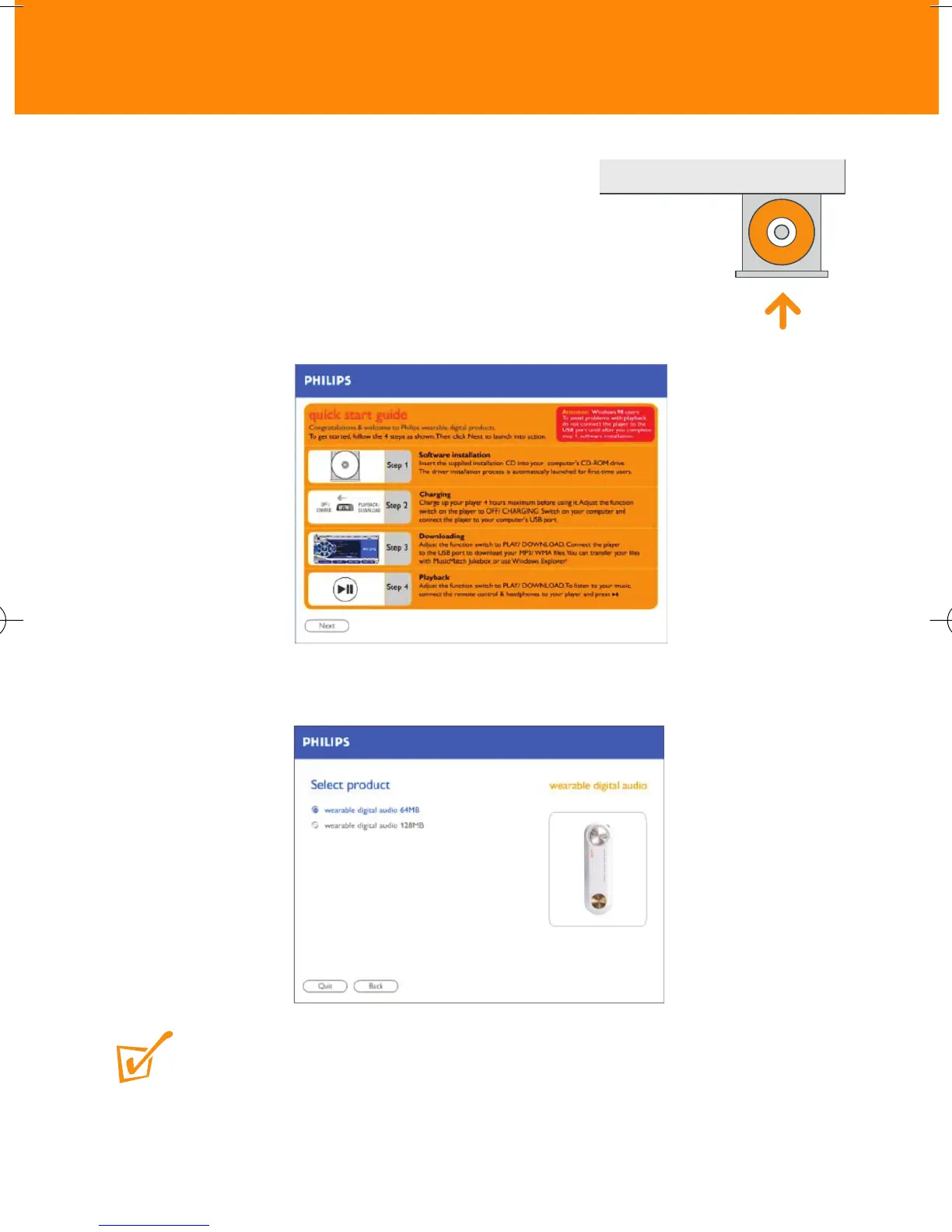
1 Insert the supplied CD-ROM into your CD-
ROM drive.
2 The quick start guide screen appears.
Follow the screen instructions.
3 Select your product to start installation.
TIP:
– The installation process is automatically launched for first-time application users.
– Please follow all the screen instructions to guide you through and confirm installation. This
will install the necessary PC applications, e.g. formatter.









 To Next Page