17
Transferring data
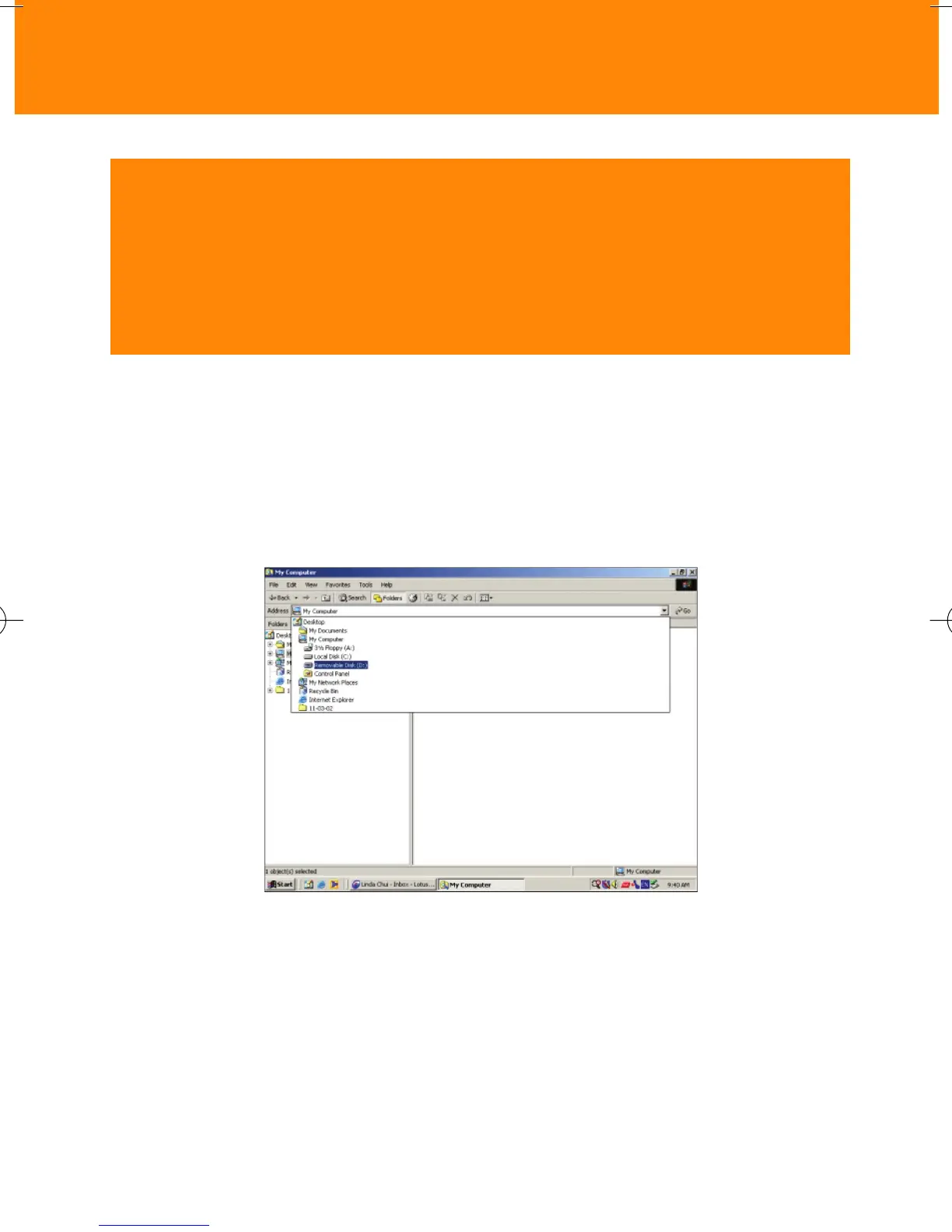
When you connect the player to your computer via the USB port, your
computer operating system will recognize the player as a removable USB
Mass Storage Device (MSD). The player is detected and automatically
located as a folder named Removable Disk/ Device (e.g. D drive).
CAUTION! Windows 98 users only
WHEN CONNECTING THE PLAYER FOR THE VERY FIRST TIME TO
DOWNLOAD, MAKE SURE YOU ONLY DO SO AFTER YOU HAVE INSERTED
THE SUPPLIED CDROM INTO THE CDROM DRIVE FOR INSTALLATION OF
THE REQUIRED DRIVERS.
Once you have transferred the files to your computer, you can use normal file
operations to e.g. copy, delete, rename your files.This means you can listen to
your favorite music on the move and also use the player to conveniently carry
your work or data files such as Word documents, Powerpoint presentations,
PDFs, etc.









 To Next Page