This document describes the Philips GC6700 series steam generator iron, a compact and lightweight appliance designed for efficient ironing.
Function Description
The Philips GC6700 series is a steam generator iron that utilizes Compact ProVelocity technology to deliver continuous steam. This technology ensures deep steam penetration to easily remove creases, while maintaining a compact and lighter design compared to traditional steam generators, facilitating easier storage. The appliance is designed for both horizontal and vertical ironing, offering versatility for various garment types. It features a Smart Calc-Clean system for regular descaling and cleaning, which helps maintain strong steam performance and prevents dirt and stains from coming out of the soleplate over time.
Important Technical Specifications
The product overview (Fig. 1) highlights the following components:
- Soleplate: The heated surface that comes into contact with garments during ironing.
- 'Iron ready' light: An indicator that signals when the iron has reached the desired temperature and is ready for use.
- CALC-CLEAN button with light: A dedicated button for initiating the descaling process, accompanied by an indicator light.
- Steam trigger/Steam boost: A control for releasing continuous steam or a powerful burst of steam.
- Temperature dial: Used to select the appropriate temperature setting for different fabric types.
- Water supply hose: Connects the iron to the water tank in the base unit.
- Heel: The resting position for the iron when not in use.
- Water tank filling door: The access point for refilling the water tank.
- Carry lock release button (GC6730 series only): A button to unlock the iron from its platform for carrying.
- Iron platform: The base where the iron rests.
- On/off switch: Controls the power to the appliance.
- Mains cord with plug: Connects the appliance to the electrical outlet.
- Water supply hose and mains cord storage compartment: Integrated storage for the hose and cord.
- Smart Calc-Clean container: A specialized container used during the descaling process.
The appliance is designed to be used with tap water, though distilled or demineralized water is recommended in hard water areas to prolong its lifetime. It is crucial not to use perfumed water, water from a tumble dryer, vinegar, starch, descaling agents, ironing aids, chemically descaled water, or other chemicals, as these can cause water spitting, brown staining, or damage to the appliance.
Usage Features
- Filling the water tank: The water tank should be filled before every use or when the water level drops below the minimum. It can be refilled at any time during use by opening the filling door, filling up to the MAX indication, and closing the door until it clicks.
- Ironing process:
- Place the appliance on a stable and even surface, preferably a stable ironing board.
- Ensure sufficient water in the tank.
- Remove the mains cord and water supply hose from storage.
- Plug into an earthed wall socket and switch on the appliance.
- Turn the temperature dial to the appropriate setting based on the fabric type (SYNTH to LINEN). The appliance automatically adjusts steam based on the selected temperature. Always refer to garment labels for recommended settings and avoid ironing non-ironable fabrics.
- Wait approximately 2 minutes until the 'iron ready' light illuminates continuously.
- For GC6730 series, press the carry lock release button to unlock the iron from the platform.
- Press and hold the steam trigger to begin ironing.
- Steam boost function: Press the steam trigger twice quickly to release a powerful boost of steam for 3 seconds, recommended for stubborn creases.
- Vertical ironing: The iron can be used in a vertical position to remove wrinkles from hanging fabrics. Hold the iron vertically, press the steam trigger, and lightly touch the garment with the soleplate, moving the iron up and down.
- Auto shut-off: The appliance enters standby mode if unused for 15 minutes, indicated by a flashing 'iron ready' light. Press the steam trigger to reactivate. If left unused for another 10 minutes in standby, the appliance switches off completely.
Maintenance Features
- Smart Calc-Clean System: This system ensures regular descaling and cleaning.
- Sound and light Calc-Clean reminder: After 1 to 3 months of use, the Calc-Clean light flashes and the appliance beeps, indicating the need for descaling. If descaling is not performed, the steam function is disabled as a protective measure. The steam function is restored after descaling. The process can be performed at any time, even without the reminder.
- Performing Calc-Clean:
- Fill the water tank halfway. Ensure the appliance is plugged in and switched ON.
- Place the Smart Calc-Clean container on an ironing board or stable surface.
- Place the iron stably on the Calc-Clean container.
- Press and hold the CALC-CLEAN button for 2 seconds until short beeps are heard.
- During the 2-minute process, short beeps and a pumping sound will be heard. The container collects scale particles and hot water.
- Once completed, the iron stops beeping, and the CALC-CLEAN light stops flashing.
- Wipe the iron with a cloth and return it to the base station.
- Allow the Calc-Clean container to cool for about 5 minutes before touching it, then empty it into a sink and store for future use.
- Repeat steps 1-8 if necessary, ensuring the container is emptied before each new cycle. Clean water may come out of the soleplate if no scale has accumulated, which is normal.
- Cleaning the soleplate: Regularly clean the appliance with a moist cloth. For stubborn stains, heat the soleplate and move the iron over a moist cloth. Regular cleaning ensures smooth gliding.
- Storage:
- Switch off and unplug the appliance.
- Pour any remaining water from the tank into a sink.
- Fold the mains cord and water supply hose together and store them in the designated compartment.
- For GC6730 series, press the carry lock release button to lock the iron onto its platform, allowing the appliance to be carried by the iron's handle.

 Need help?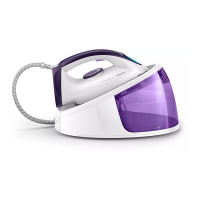




 To Next Page
 General