3139 116 19774
13
English
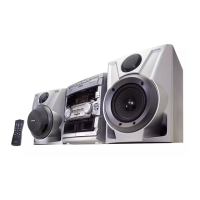
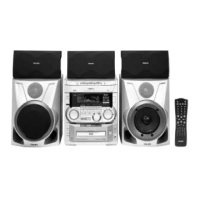
CONTROLS
Controls on the system
and remote control
1 STANDBY ON
– to switch the system on or to
standby mode.
– to use for EASY SET.
2 POWER SAVE
– to switch the system to energy
saving mode.
3 IR SENSOR
– sensor for the infrared remote
control.
4 SOURCE – to select the
following:
DVD / (VCD•CD)
– to select DVD mode. When in
DVD mode, you can play DVD,
VCD or CD.
CD / (CD 1•2•3)
– to select CD mode. When CD
playback is stopped, press to select
disc tray 1, 2 or 3.
TUNER / (FM•AM)
– to select Tuner mode. When in
tuner mode, press to select the
waveband: FM or AM.
AUX / (CDR)
– to select sound from an external
source (e.g. TV, VCR, Laser Disc
player, DVD player or CD
Recorder). When in AUX mode,
press to select either AUX or
CDR.
TV/AV (only on the remote control)
– to select TV or Video mode.
5 DISPLAY SCREEN
– to view the current setting of the
system.
6 CD CAROUSEL TRAY
7 DISC CHANGE
– to change CD(s).
8 OPEN•CLOSE
– to open or close the CD carousel
tray.
9 CD 1 / CD 2 / CD 3 (CD
DIRECT PLAY)
– to select a CD tray for playback.
0 SURROUND SOUND
DISPLAY PANEL
– to view the selected Surround
setting.
! SURROUND CONTROL
(SURR)
– to select Multichannel Sound,
Stereo, Surround or 3D Sound
mode (in DVD mode only).
@ MODE SELECTION
SEARCH•TUNING à á
(1 2)
for DVD/VCD/CD
– to search backward/forward
(except for CD playback in DVD
mode).
for TUNER
– to tune to a lower or higher
radio frequency.
for CLOCK (on the system only)
– to set the hour.
for TV VOL.
– to adjust the TV volume if the
remote operates your TV.
STOP•CLEAR Ç
for DVD/VCD/CD
– to stop playback (in DVD mode
only).
for CD
– to stop playback or to clear a
program (in CD mode only).
for TUNER
– to stop programming.
for DEMO (on the system only)
– to start or stop demonstration
mode.
PLAY PAUSE ÉÅ
for DVD/VCD/CD
– to start or interrupt playback.
for DVD/VCD
– to watch a still picture.
í PREV / NEXT ë
(PRESET)
for DVD/VCD/CD
– to skip to the beginning of the
current, previous, or next title or
track.
for VCD only
– to select next or previous
MENU (for VCD with PBC on).
– to select next or previous VCD
track during playback (for VCD
with PBC off).
for TUNER
– to select a preset radio station in
memory.
for CLOCK (on the system only)
– to set the minute .
# CLOCK/TIMER
– to view the clock, set the clock or
set the timer.
$ SOUND CONTROL
– to select the desired sound feature:
VEC, PERSONAL, DSC or DBB.
% SOUND JOG – to select the
desired sound effect of VEC/
PERSONAL/DSC/DBB setting. You
must select the respective sound
feature first.
VEC
– to select the desired Vir tual
Environment Control effect : HALL,
CLUB, DISCO, CINEMA,
CONCERT or ARCADE.
PERSONAL
– to select up to 6 personal
preferred Spectrum Analyzer
settings : PERSONAL 1-6.
DSC
– to select the desired Digital Sound
Control effect : OPTIMAL,
CLASSIC, TECHNO, VOCAL,
ROCK or JAZZ.
DBB
– to select a Dynamic Bass Boost
level : BEAT, PUNCH or BLAST.
^ n
– to connect headphones.
& VOLUME
– to increase or decrease the
volume.
pg 01-43/D5/37-Eng 7/13/00, 11:50 AM13


 To Next Page