15EN
» [REC ONE] (record one) is displayed.
» At completion of the recording, [REC
END] (record end) is displayed.
Record all tracks
1 Load an audio CD.
2 Press SOURCE repeatedly to select the
disc source.
3 Plug in a USB mass storage device.
4 Press CD RIP on the top panel twice to
start recording.
» [REC ALL] (record all) is displayed.
» At completion of the recording, [REC
END] (record end) is displayed.
To stop recording, press
.
Note
Copyright-protected CD cannot be recorded.
When the USB memory runs out, recording stops
automatically.
is recorded before you stop recording.
Enjoy simultaneous play
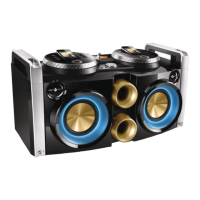
You can output audio to multiple compatible
Hi-Fi systems (FWP1000) to enjoy simultaneous
play.
1 Connect audio cables (white/red) to:
the
sockets on the back panel of this unit.
the
sockets on a compatible Hi-Fi system
(FWP1000).
2 Connect a signal cable (green) to:
the socket
on the back panel of the unit.
the socket on a
compatible Hi-Fi system (FWP1000).
3 If you like, connect more compatible Hi-Fi
systems (FWP1000) together in the same
way.
4 Start play on this unit (FWP2000).
» You can hear music from the
loudspeakers of all the Hi-Fi systems
connected to each other.



 To Next Page