This document describes the Philips Azur Elite steam iron, models GC5030, GC5031, GC5032, GC5033, GC5034, GC5036, GC5037, and GC5039.
Function Description:
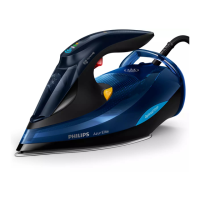
The Philips Azur Elite steam iron is designed for efficient and convenient ironing of all ironable fabrics. It incorporates exclusive Philips technologies to simplify the ironing process. The primary function is to generate steam to remove creases from garments. It features a water tank, a display panel, a steam button, a Calc-Clean/Quick Calc Release reminder light, a steam boost trigger, a mains cord with winding, and a soleplate. Specific models also include a Calc-Clean button and Quick Calc Release functionality.
Important Technical Specifications:
The iron is designed to be used with tap water, though distilled or demineralized water is recommended in hard water areas to prevent scale build-up and prolong the appliance's lifetime. It is crucial not to use perfumed water, water from tumble dryers, vinegar, starch, descaling agents, ironing aids, chemically descaled water, or other chemicals, as these can cause water spitting, brown staining, or damage to the appliance. The appliance features a safety auto-off function that activates if the iron is left resting on its soleplate for 2 minutes or on its backplate for 8 minutes. The display panel flashes to indicate this status. To reactivate, simply pick up or move the iron slightly.
Usage Features:
The Philips Azur Elite iron boasts several user-friendly features:
- OptimalTEMP Technology: This technology allows users to iron all types of ironable fabrics in any order without needing to adjust the iron's temperature or sort garments. It is safe to rest the hot soleplate directly on the ironing board, reducing wrist strain.
- DynamiQ Sensor: This advanced sensor precisely detects the iron's movement and intelligently releases steam for optimal results. It knows when the iron is moving and when it's stationary. By switching to DynamiQ mode, the iron provides the perfect amount of steam when needed, helping to remove wrinkles faster.
- Turbo Steam Pump: An integrated turbo steam pump boosts steam output by up to 50% directly through fabrics, ensuring creases disappear quickly.
- Steam Settings: The iron offers multiple steam settings, which can be changed by tilting the iron up slightly (about 20 degrees or more) and pressing the steam button on the handle. All settings utilize OptimalTEMP technology and are safe for all ironable fabrics.
- iQ Setting: Activated by the DynamiQ sensor, this setting automatically produces the perfect amount of steam when the iron is moving. Steam stops when the iron is not moved or is in a vertical position. This setting is recommended for ultimate convenience on all garments.
- MAX Setting: Delivers maximum constant steam continuously for stubborn creases. Recommended for tough fabrics like cotton, jeans, and linen. Steam stops when the iron is in a vertical position.
- ECO Setting (specific types only): Provides minimum constant steam for garments with fewer creases, saving energy. Steam stops when the iron is in a vertical position.
- IONIC Setting (specific types only): Produces deep and powerful ionic steam bursts for more hygienic ironing.
- Steam Off Setting: Allows ironing without steam.
- Steam Boost Trigger: In any steam setting, the steam button can be pressed during ironing for an extra burst of steam.
- Ironable Fabrics: Always check the garment label to ensure it is ironable. Non-ironable fabrics and prints on garments should be avoided.
- First Use: It is normal for the iron to emit some smoke during its first use; this will stop after a short while.
Maintenance Features:
Regular cleaning and maintenance are essential to prolong the life of the Philips Azur Elite iron.
- Cleaning the Soleplate:
- Unplug the appliance and allow it to cool down.
- Pour out any remaining water from the water tank.
- Wipe flakes and deposits off the soleplate with a damp cloth and a non-abrasive (liquid) cleaning agent.
- Note: Avoid hard contact with metal objects and never use scouring pads, vinegar, or other chemicals to clean the soleplate to keep it smooth.
- Quick Calc Release (specific types only): This feature automatically collects loose scale particles during ironing.
- A Calc-Clean reminder light flashes after 1 to 3 months of use to prompt the user to perform this function, which removes collected scales and prolongs the iron's life. When the light flashes, the iron will not heat up.
- The function can be used anytime, even if the reminder light is not activated. More frequent use is recommended in hard water areas.
- Important: Do not perform Quick Calc Release when the iron is hot or pour water into the Quick Calc Release opening.
- Procedure:
- Unplug the appliance and ensure it is cool.
- Hold the appliance vertically over a sink.
- Flip up the lever of the Quick Calc Release collector and pull it out.
- Clean the collector with water.
- Gently shake the appliance to dislodge scale particles.
- Insert the collector back into the appliance.
- Push down the lever until it "clicks" to lock the collector.
- Calc-Clean (specific types only): Similar to Quick Calc Release, this function is indicated by a flashing Calc-Clean reminder light after 1 to 3 months of use to remove scales and prolong the iron's life.
- The function can be used anytime, even if the reminder light is not activated. More frequent use is recommended in hard water areas.
- Procedure:
- Ensure the steam slider is set to "steam off."
- Verify there is sufficient water (more than 3/4 full) in the water tank. If not, unplug, fill to MAX, and plug in again. Do not pour vinegar or other descaling agents into the water tank.
- Wait for the iron to heat up (approx. 2 minutes). The Calc-Clean reminder light turns off during heating.
- Unplug the iron when the 'iron ready' light stops breathing.
- Hold the iron over the sink, continuously push the Calc-Clean button, and gently shake the iron back and forth until all water in the tank is used up. Scales, steam, and boiling water will exit the soleplate. Repeat steps 2-5 if scale particles persist.
- Plug in the appliance and let it heat up to dry the soleplate (approx. 2 minutes).
- Unplug the appliance and gently move it over a piece of cloth to remove any water stains from the soleplate.

 Need help?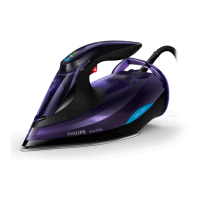




 To Next Page
 General