The Concept of the Small Really Big !
The Concept of the Small Really Big !
GSM
GSM
900
900
Mobile
Mobile
Phone
Phone
genie
genie
TM
TM
Draft V2
Draft V2
02/11/98
02/11/98
l It is small and light, you can easily carry it closely around in any environment.
l Easy to use interface : the soft keys combined with the scrolling keys provide an
easy and fast access to all of the features.
l The voice dial makes calling easier than ever before : to make a call, just say the
name of the person you want to talk to and Genie connects you automatically.
l Unique Features such as the agenda, the to do list enable you to save time. An
alert beep reminds you about your appointments.
l Genie’s Hot Keys give you an innovative personalisation opportunity : with it, you
can have fast access to the most frequently used names or features, by a simple
long press on a key number.

 Need help?
 General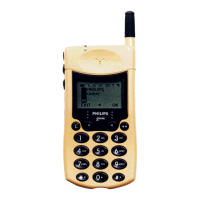

 To Next Page