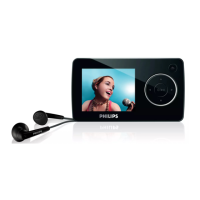
Need help?
Do you have a question about the Philips GoGear SA6025 and is the answer not in the manual?
Covers player care, operating and storage temperatures, and replacement parts.
Provides guidelines for safe listening volumes and periods to prevent hearing damage.
Lists the accessories included with the audio video player.
Encourages product registration for access to free upgrades and updates.
Details the player's physical buttons, ports, and their functions.
Explains the different options available in the player's main menu.
Guides users through installing necessary software from the provided CD.
Explains how to connect the player to a PC and charge its battery.
Introduces transferring music and picture files to the player.
Details the process of converting and transferring video files using MediaConverter.
Covers powering on/off, navigating menus, and using the lock slider.
Introduces Windows Media Player 11 and its capabilities for media management.
Provides optional steps to save media information and back up existing data before installation.
Guides users through the process of installing Windows Media Player 11.
Explains how to uninstall Windows Media Player 11 and revert to an older version.
Covers viewing and managing music and picture files using Windows Media Player.
Details how to add music and picture files to the Windows Media Player library.
Explains how to navigate between music and picture views in Windows Media Player.
Guides on copying music from audio CDs to the computer.
Explains how to browse and purchase music from online stores via Windows Media Player.
Covers synchronizing music and pictures from the PC to the player.
Details the initial setup for automatic or manual synchronization.
Describes how to change sync methods after initial setup.
Allows users to choose specific playlists or files for automatic synchronization.
Guides on manually selecting files and playlists for synchronization.
Explains how to use the Shuffle Sync feature for dynamic content loading.
Details how to transfer files from the player back to the computer.
Covers creating and managing playlists for music and pictures.
Guides on creating static playlists with selected songs or pictures.
Explains how to automatically generate playlists based on defined criteria.
Provides instructions on modifying existing playlists.
Details how to transfer created playlists to the device.
Covers searching, deleting, and managing media files and playlists.
Explains how to find media files within Windows Media Player.
Guides on removing media files and playlists from the WMP library.
Details how to remove media files and playlists directly from the player.
Instructions on adding or modifying album artwork for music tracks.
Covers editing metadata such as title, artist, and genre for songs.
Explains how to reformat the player's storage to erase all data.
Explains how to play music, skip tracks, and control playback.
Details the specific buttons used for music playback functions.
Guides on navigating and searching music library by various criteria.
Allows users to select shuffle or repeat playback options.
Covers adjusting equalizer settings for different music genres.
Explains creating temporary playlists directly on the player.
Details managing playlists other than "Playlist on the go".
Describes browsing media content while music is playing.
Covers playing video files on the player.
Guides on navigating and selecting video files.
Details the buttons for video playback controls.
Explains how to view pictures on the player.
Covers transferring picture files to and from the player.
Guides on browsing and viewing picture albums on the device.
Explains how to delete music, videos, and pictures from the player.
Covers making and managing voice recordings.
Details how to listen to recorded voice files.
Explains how to remove recorded voice files.
Guides on transferring voice recordings to a computer.
Covers using the FM radio functionality.
Allows setting the FM region for optimal tuning.
Explains how to automatically scan for radio stations.
Guides on selecting and tuning preset radio stations.
Covers player configuration options like language, display, and sound.
Explains using the player as a storage device for data files.
Guides on checking and installing firmware updates for the player.
Troubleshooting steps for songs being skipped during playback.
Solutions for when the player is not detected by the computer.
Troubleshooting steps for the player failing to turn on.
 General
| Backlight | Yes |
|---|---|
| Display diagonal | 2.2 \ |
| Display resolution | 320 x 240 pixels |
| Display number of lines | 7 lines |
| Display number of colors | 65536 colors |
| Battery capacity | 800 mAh |
| Continuous audio playback time | 15 h |
| Continuous video playback time | 4 h |
| MP3 bit rates | 8 - 320 Kbit/s |
| WMA bit rates | 5 - 320 Kbit/s |
| Equalizer modes | Classic, Funk, Hip hop, Jazz, Rock, Techno |
| Frequency range | 60 - 18000 Hz |
| RMS rated power | 0.006 W |
| MP3 sample rates | 8 - 48 kHz |
| Channel separation | 40 dB |
| Signal-to-Noise Ratio (SNR) | 85 dB |
| Total Harmonic Distortion (THD) | 1 % |
| Headphone connectivity | 3.5 mm |
| Package type | Clamshell |
| Package depth | 39 mm |
| Package width | 135 mm |
| Package height | 195 mm |
| Internal memory type | NAND |
| Supported radio bands | FM |
| Preset stations quantity | 10 |
| Player media type | Flash memory |
| Total storage capacity | 2 GB |
| Type | MP4 player |
| Product color | Black |
| Volume control | Digital |
| Cables included | USB |
| Audio formats supported | MP3, WMA |
| Image formats supported | JPG |
| Video formats supported | AVI, MOV, MPEG1, MPEG2, RM, WMV |
| Interface | USB 2.0 |
 Weight and Dimensions
| Depth | 53 mm |
|---|---|
| Width | 94 mm |
| Height | 13 mm |
| Weight | 75 g |


 To Next Page