Controls Installation
6
English
Environmental Information
All redundant packing material has been omitted.We have done our best to make the
packaging easily separable into two materials:cardboard and polyethylene
Your unit consists of materials which can be recycled if disassembled by a specialized
company. Please observe the local regulations regarding the disposal of packing
materials,exhausted batteries and old equipment.
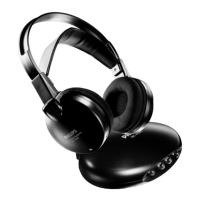
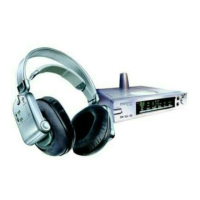
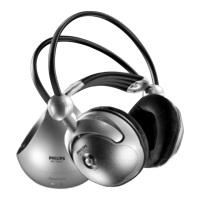
Headphone (figure 2)
9 Power indication – lights up when in use.
When batteries are low,the power
indicator flashes,and you should recharge
the headphone for about 16 hours before
the next use.
10 Power On/Off – push the button to
switch the headphone on/off.
11 Recharging contacts – align headphone
to the transmitter,green recharging LED on
the transmitter’s front must switch on,
indicating that the headphone is being
recharged.
12 Volume – adjust volume to your desired
listening level.
13 Tuning – Turn the tuning knob until the
signal is at its clearest and the tuning
indicator will light up.
14 Tuning indicator – lights up when
receiving optimal transmission.
Transmitter power supply
IMPORTANT
Use only Philips SBC CS030/00
12 Volt/200 mA AC/DC adapter.
(For UK,use only Philips SBC CS030/05)
1 Make sure the adapter’s rated voltage
corresponds to the mains socket voltage.
2 Connect the DC connector of the AC/DC
adapter to the 12 Volt DC power input
connector located at the rear of the
transmitter.
3 Connect the 12 Volt/200 mA AC/DC
adapter to the mains socket.
– Always disconnect the AC/DC adapter if
the transmitter is not to be used for a
long period of time.
Headphone power supply
IMPORTANT
Use only rechargeable LR03/AAA
NiMH batteries (preferably Philips).
Do not use NiCd batteries or
alkaline batteries as these may damage
your FM wireless system!
1 Check if the power button of the FM
headphone is in the on position.
2 When the red power indicator on the FM
headphone starts flashing,it indicates that
the batteries are running low.
3 To recharge the headphone’s built-in
rechargeable LR03/AAA NiMH batteries,
position the headphone on the transmitter
and contact.
XP SBC HC 8410/00-1 17-05-2001 11:41 Pagina 6


 To Next Page