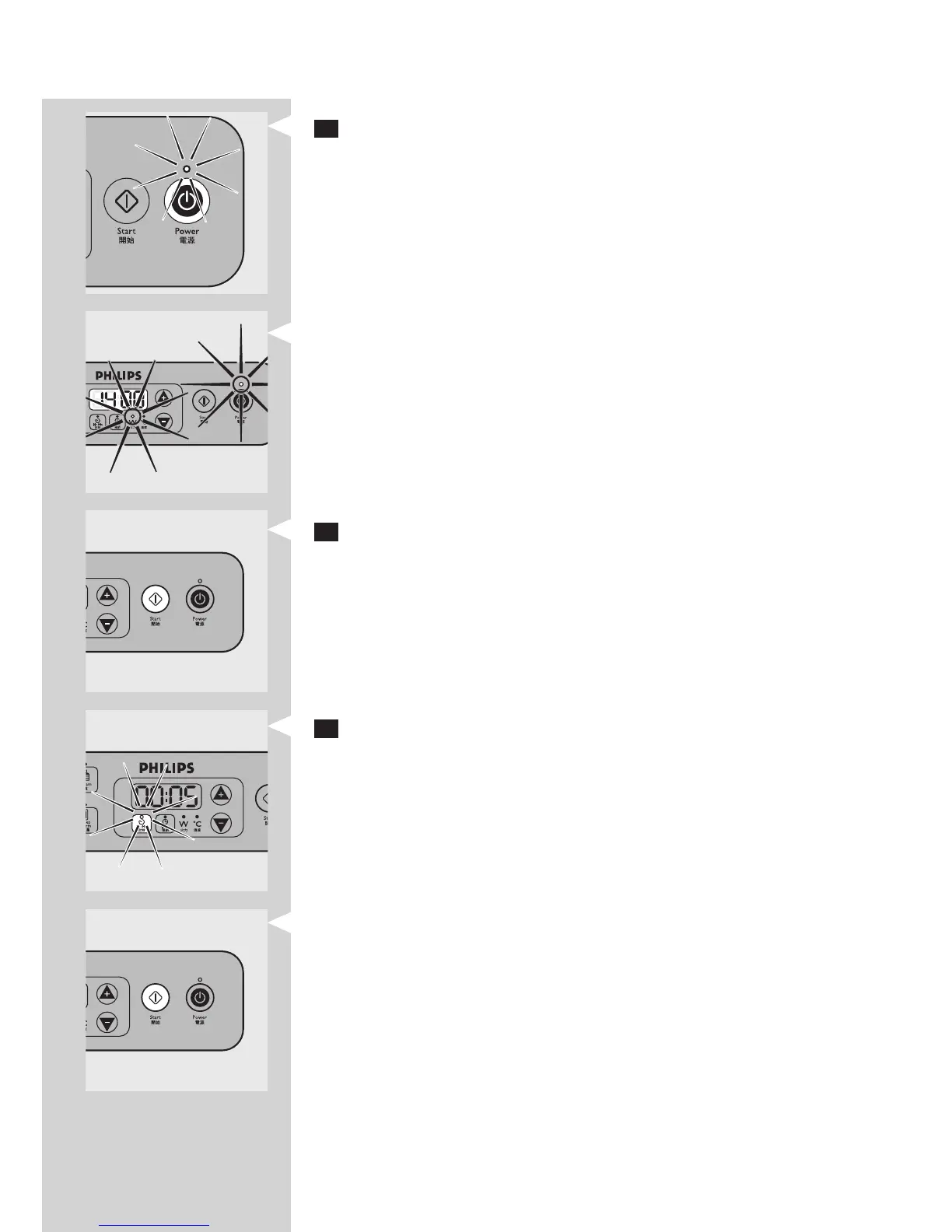
3 Press the Power on/off button once to switch on the appliance.
The power-on light and the ‘W’ light go on. The display shows the
default setting of 1400W.
4 If you want to adjust the power level, press the + and - buttons.
Note: You can also adjust the power level during cooking.
5 If you want to adjust the cooking time:
Press the Hr:Min button.
Adjust the time with the + and - buttons.
Note: When you press the + and - buttons briey, the time increases or
decreases by 1 minute. When you press the buttons longer, the time increases
or decreases by 5 minutes.
Note: You can also adjust the cooking time during cooking.
,
-
-
ENGLISH 11


 To Next Page