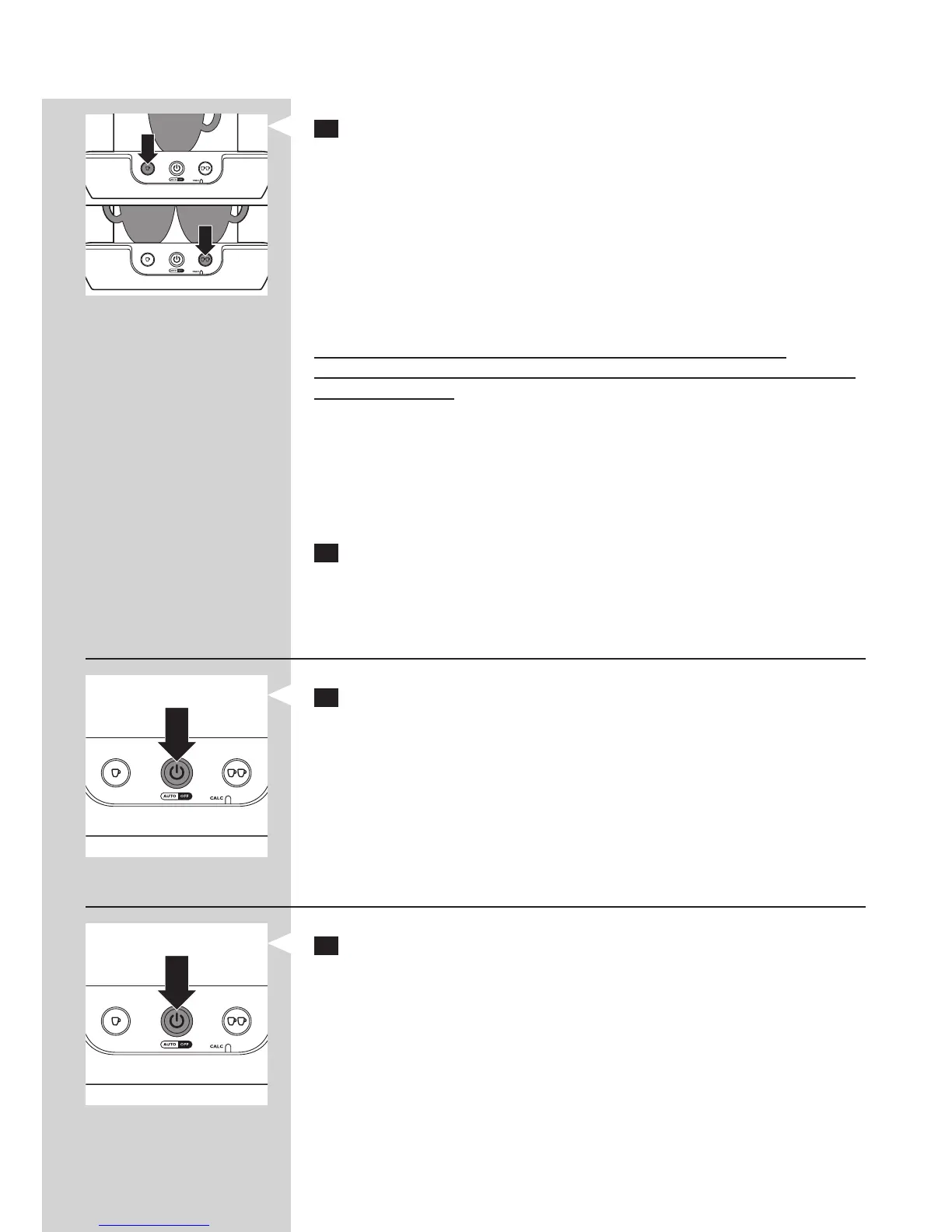
4 Press the button indicating the number of cups of coffee you want to
brew.
- Press the 1-cup button q for one cup.
- Press the 2-cup button qq for two cups.
The pod coffee machine starts brewing.
- The machine automatically supplies the optimal amount of water.
- You can interrupt the brewing process at any time by pressing the
on/off button 3. If you switch the machine back on after having
interrupted the brewing process, the machine does not complete the
interrupted brewing cycle.
Do not remove the water reservoir during a brewing cycle, as
this causes the machine to draw in air. When this happens, the next cup
isonlypartlylled.
Note: If no coffee comes out of the machine, you have not ushed the
machine before rst use. As a result, the boiler is not lled. Flush the machine
as described in chapter ‘Before rst use’ before you start brewing coffee. If
only a small amount of coffee comes out of the machine, ush the machine as
described in section ‘Flushing’ in chapter ‘Cleaning’ before you brew another cup
of coffee.
5 Remove the coffee pod(s) after use by lifting the pod holder out of
the machine and emptying it.
Be careful when you do this, for there may still be some water/coffee on
the coffee pod(s).
Interrupting the brewing process
1 Press the on/off button 3 to interrupt the brewing process.
Note: If you switch the machine back on after you have interrupted the
brewing process, the machine does not complete the interrupted brewing cycle.
Switching off
1 After use, press the on/off button 3 to switch off the machine.
Note: If you do not use the machine, it switches off automatically after
30 minutes, for energy saving.
ENGLISH 13




 To Next Page