19ENGLISH
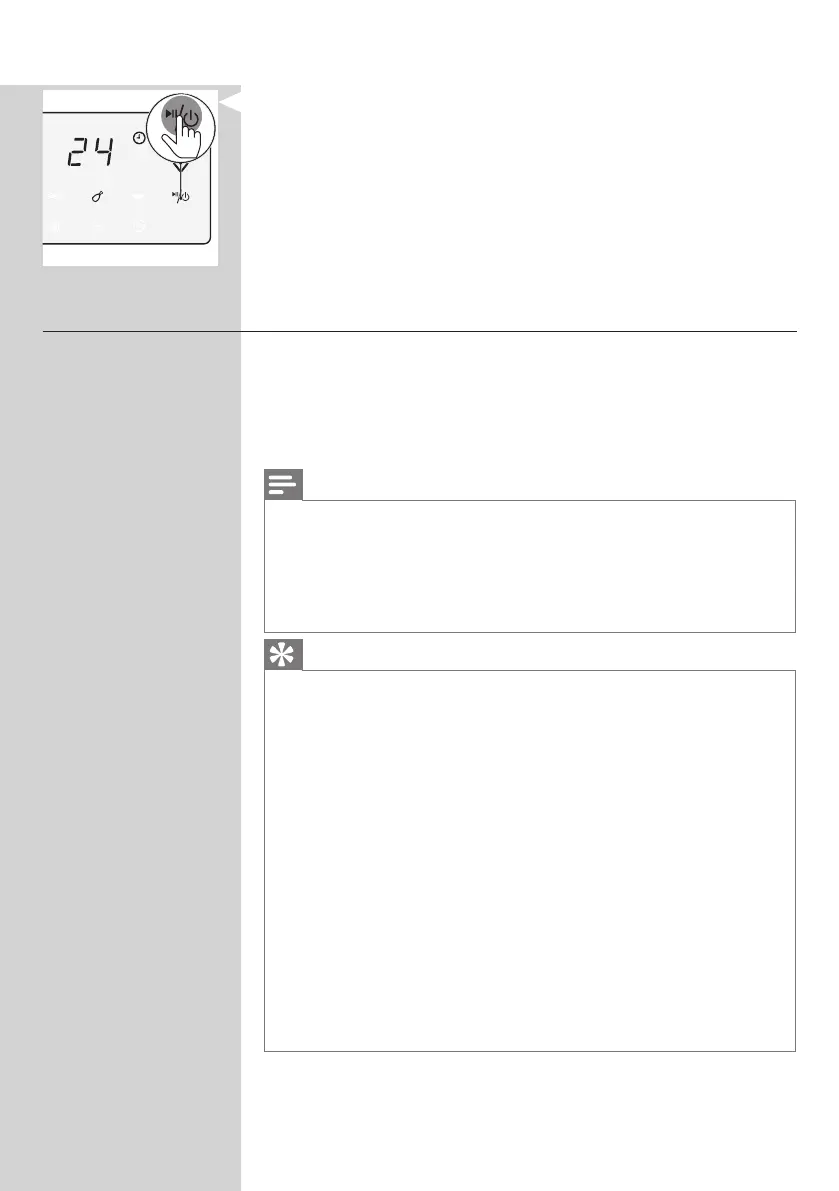
4 PresstheOn/Obuttontostartthecookingprocess.
Starting a recipe from the NutriU App
1 PresstheOn/ObuttontoturnontheAirfryer.
2 OpentheNutriUApponyoursmartdeviceandlookfor
yourpreferredrecipe.
3 OpentherecipeandstartthecookingprocessintheApp.
Note
• Make sure that when cooking recipes that are developed for your
Airfryer, use the same amount of food mentioned in the recipes.
When using dierent ingredients or a dierent amount of food
items, adjust the cooking time. When cooking recipes that are not
developed for your Airfryer, be aware the time and temperature
might be adjusted.
Tip
• Via the lter in the recipe search you can lter your smart Airfryer to
get the recipes that are developed for your device.
• When the cooking process is started from the App, you can see the
cooking settings also on the screen of the Airfryer.
• You can pause the cooking process or change the settings on the
Airfryer or in the App.
• When the cooking process is over you can start the keep warm mode
in the App or start it from the “keep warm” preset on the Airfryer.
• If the food is not done yet, you can also prolong the cooking process
within the App or on the Airfryer.
• To exit the cooking process before the cooking time is over, long press
the On/O button on the Airfryer or press the pause and then the
stop icon in the App.
• You can also start your individual time and temperature in the NutriU
App.
• On the bottom of the Home Screen there is the button to go to the
home screen, the recipes, manual mode, articles or your prole.
Press the manual mode button and send your individual time and
temperature to the Airfryer.


 To Next Page