When to use
Energy need because of: Morning Lunchtime Afternoon Evening
An afternoon energy dip + +++ +++ ---
Fighting the winter blues +++ + + ---
-
The more pluses (+++) there are in a column, the more suitable the time.
-
--- means: do not use the appliance at this time.
Light intensity
Use the EnergyLight in addition to the normal room lighting. The EnergyLight is more
comfortable to use in a well-lit room. Adjust the brightness to a comfortable level. Allow a few
minutes for your eyes to get used to the bright light. If the highest setting is too bright for you,
start using the EnergyLight at a lower setting. Increase the light intensity if you feel no effect
after a week.
How to use the appliance
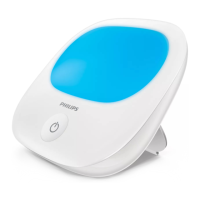
1 Insert the small plug in the socket on the back of the appliance (Fig. 2).
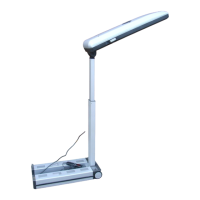
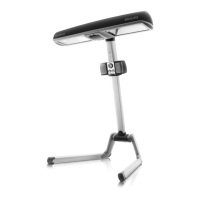
2 Fold out the stand. The stand can be set to a variable angle.
-
If you are sitting straight up or standing and the top edge of the appliance is below eye
level, place the appliance in a tilted position so that its light points further upwards and
reaches your eyes (Fig. 3).
-
If you are sitting down at a table or desk and the top edge of the appliance is above eye
level, place the appliance in a more upright position (Fig. 4).
3 Insert the adapter in a wall outlet (Fig. 5).
4 Place the appliance at arm’s length (at approximately 20-30 in./50-75cm from your eyes)
within your field of vision. The light must bathe your face (Fig. 6).
-
You can read, eat, work at the computer, watch TV or exercise while you use the appliance.
-
For the best results, place the appliance at the same level as your midriff (stomach area),
e.g. place it on the table at which you are sitting.
-
Make sure that the surroundings of the appliance are well-lit for more visual comfort.
Note: Do not stare into the light of the appliance. It is sufficient that the bright light reaches
your eyes indirectly.
5 Press the standby button briefly to switch on the appliance (Fig. 7).
-
The first time you switch on the appliance, the light comes on at the default middle
intensity setting (setting 3) of 5 intensity settings.
-
The next time you switch on the appliance, the light comes on at the last used intensity
setting.
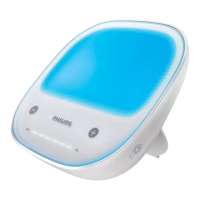
6 You can choose five intensity settings, respectively 20%, 30%, 45%, 67% and 100% intensity.
-
To choose a lower setting, touch the - button briefly (Fig. 8).
-
To choose a higher setting, touch the + button briefly (Fig. 9).
Note: For the best results, use the highest light setting that is comfortable to your eyes.
7 The timer indicates the time elapsed from the moment you switch on the appliance.
11
English





 To Next Page