To Next Page
T
teresaschmidtAug 29, 2025
What to do if the alarm does not work on my Philips Clock Radio?
- DDrew KirbyAug 29, 2025
If the alarm on your Philips Clock Radio isn't working, make sure that you have set the clock and alarm correctly.

What to do if the alarm does not work on my Philips Clock Radio?
If the alarm on your Philips Clock Radio isn't working, make sure that you have set the clock and alarm correctly.
What to do if the buttons on Philips Speaker System main unit do not work?
If the buttons on the main unit aren't working, disconnect the device from the power supply for a few minutes, then connect it again.
What to do if the buttons on my Philips Speaker System do not work?
If the buttons on the main unit of your Philips Speaker System do not work, disconnect it from the power supply for a few minutes, then connect it again.
What to do if the subwoofer is idle on Philips Speaker System?
If the subwoofer of your Philips Speaker System is idle or its indicator light is not on, unplug the power cord from the mains socket and plug it back in after 3 minutes to reset the subwoofer.
Why I can’t find the Bluetooth name of Philips Speaker System on my Bluetooth device?
If you can't find the Bluetooth name of the unit on your device, ensure that the Bluetooth function is activated on your Bluetooth device. You may also need to re-pair the unit with your Bluetooth device.
How to improve radio reception on a Philips Clock Radio?
If your Philips Clock Radio has poor radio reception: * Keep the clock radio away from other electronic devices to prevent radio interference. * Fully extend and adjust the position of the antenna.
How to fix no sound from Philips Speaker System soundbar speaker?
If there is no sound coming from the soundbar speaker, try the following: * Connect the audio cable from the soundbar to your TV or other devices. * Select the correct audio input on the remote control. * Ensure that the soundbar is not muted. * You can also reset the product to its factory settings.
Why is my Philips Pasta Maker leaking water?
If you notice a small amount of water leaking from your Philips Pasta Maker, it's likely because water was added before the program started. Ensure you follow the user manual instructions and add water right after the program starts.
What to do if my Philips Speaker System remote control does not work?
If your Philips Speaker System remote control isn't working, try these steps: * First, select the correct source before pressing any playback control button. * Reduce the distance between the remote and the unit. * Ensure the battery is inserted correctly, aligning the polarities (+/-) as indicated. * Replace the battery with a new one. * Aim the remote directly at the sensor on the front of the unit.
What to do if a device cannot connect with Philips Speaker System soundbar?
If a device can't connect, it might not support the compatible profiles required for the soundbar. Ensure you've enabled the Bluetooth function on the device by checking its user manual. Make sure the device is correctly connected. Also, the soundbar might already be connected to another Bluetooth device; disconnect that device and try again.
 General
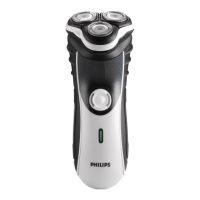
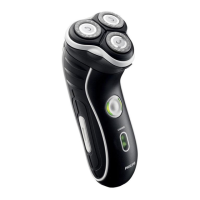
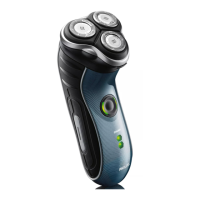
| Brand | Philips |
|---|---|
| Model | HQ7330 |
| Category | Electric Shaver |
| Language | English |