7EN
a Alphanumeric buttons
• Enter values or letters (using SMS style
entry).
• In radio mode, select a preset radio
station.
b TOP MENU
Access the main menu of a video disc.
c SUBTITLE
Select subtitle language for video.
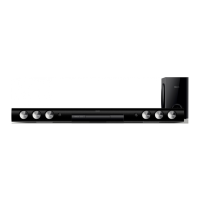
Main unit
This section includes an overview of the main
unit.
a (Standby-On)
Switch the home theater on or to standby.
b
(Play/Pause)
Start, pause or resume play.
c (Stop)
• Stop play.
• In radio mode, press and hold to erase
the current preset radio stations.
d SOURCE
Select an audio or video source for the
home theater.
e
+/-
Increase or decrease volume.
f
(Open/Close)
Open or close the disc compartment.
Connectors
This section includes an overview of the
connectors available on your home theater.
Rear left
a AC MAINS~
Connect to the power supply.
b OPTICAL IN
Connect to an optical audio output on the
TV or a digital device.
c USB FOR VOD/BD-LIVE ONLY (VOD is
not available in China)
• Slot for a USB storage device to rent
online videos (Not available in China).
• Slot for a USB storage device to access
BD-Live.
c
d
f
e
a
b










 To Next Page
