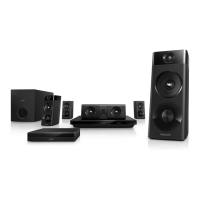
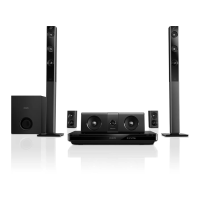
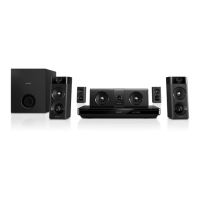
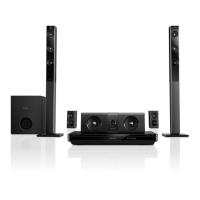
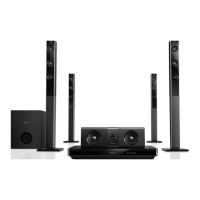
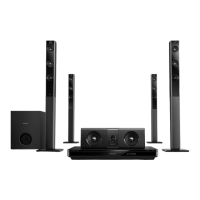
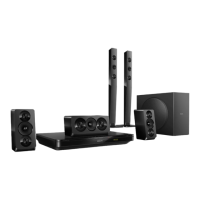
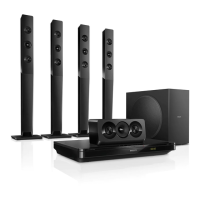
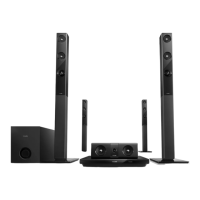
This document is a user manual for Philips Home Theater Systems, specifically models HTB5520, HTB5550, and HTB5580. It provides comprehensive information on the device's functions, technical specifications, usage, and maintenance.
Function Description
The Philips Home Theater System is designed to provide an immersive audio and video experience for home entertainment. It functions as a central hub for playing various media formats, connecting to a TV, and delivering surround sound. Key functions include:
- Media Playback: Plays DVDs, VCDs, CDs, Blu-ray discs, and various digital audio/video files from USB storage devices or networked sources. It supports a wide range of audio and video codecs and file formats.
- Audio Output: Provides multi-channel surround sound through a subwoofer and multiple speakers (front, center, and rear). It supports various audio formats like Dolby Digital, DTS, and PCM.
- Video Output: Connects to a TV via HDMI (ARC), coaxial, or optical connections, supporting resolutions up to 1080p.
- Connectivity: Offers multiple connection options including HDMI, USB, LAN, FM antenna, audio in (analog and digital optical/coaxial), and microphone inputs. It also features wireless connectivity via Bluetooth (with NFC for easy pairing) and Wi-Fi for streaming and network access.
- Smart TV Features: Integrates with Smart TV services, allowing access to internet applications and specially adapted internet websites. It supports browsing Smart TV content and renting online videos (VOD feature).
- Streaming: Enables streaming multimedia content via Miracast (for screen mirroring from compatible devices) and DLNA (for browsing and playing media from networked computers).
- Karaoke: Includes features for karaoke playback with microphone inputs and sound adjustments.
- EasyLink (HDMI-CEC): Allows control of multiple HDMI-CEC compliant devices with a single remote control.
- Software Update: Supports updating the device's software via USB or through the internet to improve performance and add new features.
Important Technical Specifications
The manual provides detailed technical specifications across various components:
Amplifier:
- Total output power: 1000W RMS (10% THD)
- Frequency response: 20 Hz-20 kHz / ±3 dB
- Signal-to-noise ratio: > 65 dB (CCIR) / (A-weighted)
- Input sensitivity: AUX: 2 V, AUDIO IN: 1 V
Subwoofer:
- Output power: 166 W RMS (10% THD)
- Impedance: 3 ohm
- Speaker drivers: 203 mm (8") woofer
- Dimensions (WxHxD): 231 x 293 x 308 mm
- Weight: 4.1 kg
- Cable length: 3 m
Speakers:
- Center speaker:
- Output power: 166 W RMS (10% THD)
- Speaker impedance: 3 ohm
- Speaker drivers: 2 x 78mm (3") woofer + 1 x 19mm (0.7") tweeter
- Dimensions (WxHxD): 314 x 103 x 94 mm
- Weight: 1.03 kg
- Cable length: 2 m
- Front/Rear speaker (HTB5520):
- Output power: 166 W RMS (10% THD)
- Speaker impedance: 3 ohm
- Speaker drivers: front: 1 x 78mm (3") woofer + 1 x 19mm (0.7") tweeter; rear: 1 x 78mm (3") full range
- Dimensions (WxHxD): front: 180 x 193 x 125 (rear); 200 x 193 x 125 (front) mm
- Weight: 0.79 kg/each (front); 0.72 kg/each (rear)
- Cable length: 3 m (front); 6 m (rear)
- Front/Rear speaker (HTB5550):
- Output power: 166 W RMS (10% THD)
- Speaker impedance: 3 ohm
- Speaker drivers: front: 2 x 78mm (3") woofer + 1 x 19mm (0.7") tweeter; rear: 1 x 78mm (3") full range
- Dimensions (WxHxD): front: 250 x 193 x 125 (rear); 250 x 1179 x 250 (front) mm
- Weight: 4.42 kg/each (front); 0.72 kg/each (rear)
- Cable length: 3 m (front); 6 m (rear)
- Front/Rear speaker (HTB5580):
- Output power: 166 W RMS (10% THD)
- Speaker impedance: 3 ohm
- Speaker drivers: front/rear: 2 x 78mm (3") woofer + 1 x 19mm (0.7") tweeter
- Dimensions (WxHxD): 250 x 1179 x 250 mm (front/rear)
- Weight: 4.40 kg/each (front); 4.40 kg/each (rear)
- Cable length: 3 m (front); 6 m (rear)
Wireless box/receiver (RWSS5514):
- Power supply: Europe/China: 220-240 V~, 50 Hz; Latin America/Asia Pacific: 110-127 V, 220-240 V~, 50-60 Hz; Russia/India: 220-240 V~, 50 Hz
- Power consumption: 50 W
- Standby power consumption: ≤ 0.5 W
- Dimensions (W x H x D): 268 x 136 x 56 mm
- Weight: 0.96 kg
Radio:
- Tuning range: FM 87.5-108 MHz (50 kHz)
- Signal-to-noise ratio: FM 50 dB
- Frequency response: FM 180 Hz-12.5 kHz / ±3 dB
USB:
- Compatibility: Hi-Speed USB 2.0
- Class support: USB Mass Storage Class (MSC)
- File system: FAT16, FAT32, NTFS
- USB port: 5V ===, 1A
Main unit:
- Power supply: Europe/China: 220-240 V~, 50 Hz; Latin America/Asia Pacific: 110-127 V, 220-240 V~, 50-60 Hz; Russia/India: 220-240 V~, 50 Hz
- Power consumption: 160 W
- Standby power consumption: ≤ 0.5 W
- Dimensions (W x H x D): 435 x 58 x 293 mm
- Weight: 2.66 kg
- Operating temperature and humidity: 0°C to 45°C, 5% to 90% humidity for all climates
- Storage temperature and humidity: -40°C to 70°C, 5% to 95%
Supported Media Formats:
- Audio: .aac, .mka, .mp3, .wma, .wav, .m4a, .flac, .ogg
- Video: .avi, .divx, .mp4, .m4v, .ts, .mov, .mkv, .asf, .wmv, .m2ts, .mpg, .mpeg, .3gp
- Picture: .jpg, .jpeg, .gif, .png
- Disc media: DVD, VCD, CD, Blu-ray Disc
Wireless Transmitter:
- RF frequency: 2.4 GHz
- Bluetooth profiles: A2DP
- Bluetooth version: 2.1 + EDR
Usage Features
The manual details various usage features, including:
- Accessing the Home Menu: A central interface for navigating device settings and media sources.
- Auto Play: Automatically plays discs or media files from a USB drive.
- Play Buttons: Standard controls for play, pause, stop, skip, fast forward/backward, and search.
- Synchronize Video and Sound: Adjusts audio delay to match video playback.
- Blu-ray 3D Playback: Supports playing 3D Blu-ray discs, with settings for 3D viewing.
- Bluetooth Connectivity: Connects to Bluetooth devices for audio streaming, with NFC for quick pairing.
- USB Storage Devices: Plays audio, video, and picture files from USB drives.
- Audio, Video, and Picture Options: Allows users to adjust various settings for optimal media playback, including language, subtitle, audio output, picture settings (brightness, contrast, color), and zoom.
- Radio Functionality: Tunes into FM radio stations, with options to store presets and perform auto-scans.
- Browse Smart TV: Accesses internet applications and specially adapted websites.
- Stream Multimedia via Miracast: Wirelessly mirrors content from compatible devices to the TV.
- Browse PC through DLNA: Accesses and plays media files from a computer or media server on the home network.
- Karaoke Playback: Plays karaoke discs with microphone volume and echo adjustments.
- Sound Modes: Offers predefined sound modes (e.g., Auto, Balanced, Powerful, Bright, Clear, Warm, Personal) and an equalizer for custom audio adjustments.
- Auto Volume: Reduces sudden changes in volume, useful for TV commercials.
- Language Settings: Configures menu, audio, subtitle, and disc menu languages.
- Picture and Video Settings: Adjusts picture format, resolution, deep color, and 3D video settings.
- Parental Control: Sets restrictions for disc playback based on age ratings.
- Display Settings: Configures subtitle shift, display panel brightness, and VCD/SVCD playback control.
- Energy Saving Settings: Includes screen saver and auto standby timers to conserve energy.
- Speaker Settings: Adjusts audio post-processing for speakers and karaoke.
- Wired and Wireless Network Setup: Guides users through connecting the device to a home network via Ethernet or Wi-Fi.
- Personalize Network Name: Allows users to assign a custom name to their home theater system on the network.
Maintenance Features
The manual also covers maintenance aspects to ensure optimal device performance and longevity:
- Product Registration: Encourages users to register their product on the Philips website for support.
- Software Updates: Provides instructions for updating the device's software via USB or the internet, which can improve performance and fix bugs.
- Troubleshooting: Offers a comprehensive section to diagnose and resolve common issues related to the main unit, picture, play, sound, connectivity (HDMI, USB, network, Bluetooth, NFC, Miracast), and disc playback.
- Care for the Environment: Advises on proper disposal of batteries and the device itself, highlighting Philips' commitment to environmentally sound design and recycling.
- Risk of Overheating: Warns against installing the product in a confined space and covering ventilation slots.
- Risk of Contamination: Advises against mixing batteries and proper disposal of chemical substances.
- Cleaning: Recommends using a microfiber cloth to clean the product.
- Disc Care: Provides guidelines for handling discs to prevent damage.
- Safety Warnings: Includes important safety information regarding electric shock, fire, swallowing batteries, and visual/laser radiation.
- Contact Philips: Directs users to Philips support for assistance with product issues.

 Need help?
 General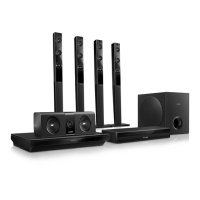

 To Next Page