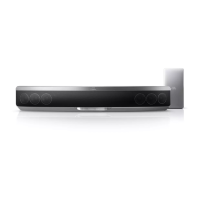
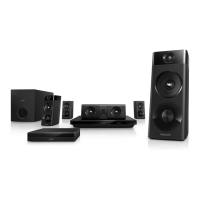
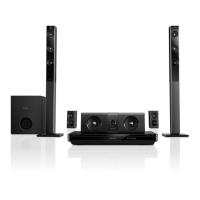
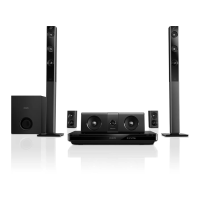
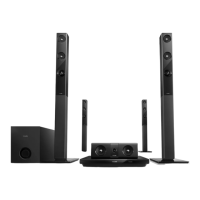
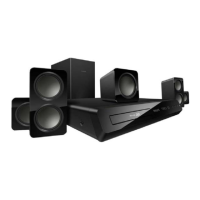
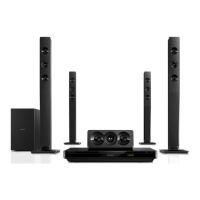
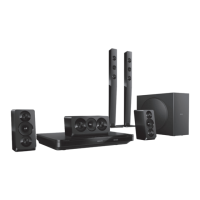
This is a user manual for the Philips HTB9550D home theater system, a comprehensive entertainment unit designed to deliver an immersive audio-visual experience. The system integrates various functionalities, including Blu-ray 3D playback, a robust amplifier, multiple connectivity options, and advanced sound settings, all aimed at enhancing the user's home entertainment.
Function Description
The Philips HTB9550D serves as a central hub for home entertainment, capable of playing a wide range of media formats including Blu-ray 3D discs, DVDs, VCDs, CDs, and CD-R discs. It supports various audio, video, and picture file formats from USB storage devices, network sources (DLNA), and iPods. The system features a powerful amplifier with a total output power of 1000W RMS, delivering crisp and dynamic sound. It supports 9.1 surround sound, enhanced by 360SOUND MUSIC and 360SOUND STEREO modes, providing an immersive audio experience. The system also includes an FM radio tuner with 40 preset stations. Network connectivity, both wired and wireless (Wi-Fi), allows for software updates, access to internet radio, and media sharing via DLNA. The EasyLink (HDMI-CEC) feature simplifies control by allowing the home theater system to communicate with other HDMI-CEC compliant devices using a single remote.
Important Technical Specifications
- Amplifier:
- Total output power: 1000W RMS (+/- 0.5 dB, 30% THD)
- Frequency response: 20 Hz-20 kHz, ±3 dB
- Signal-to-noise ratio: > 65 dB (CCIR) / (A-weighted)
- Input sensitivity: AUX: 650 mV, Music iLink: 300 mV
- Video:
- Signal system: PAL / NTSC
- HDMI output: 480i/576i, 480p/576p, 720p, 1080i, 1080p, 1080p24, Quad-HD (4Kx2K)
- Audio:
- S/PDIF Digital audio input: Coaxial: IEC_60958-3, Optical: TOSLINK
- Sampling frequency: MP3: 32 kHz, 44.1 kHz, 48 kHz; WMA: 44.1 kHz, 48 kHz
- Constant bit rate: MP3: 32 kbps - 320 kbps; WMA: 48 kbps - 192 kbps
- Radio:
- Tuning range: Europe/Russia/China: FM 87.5-108 MHz (50 kHz); Asia Pacific/Latin America: FM 87.5-108 MHz (50/100 kHz)
- Signal-to-noise ratio: FM 50 dB
- Frequency response: FM 180 Hz-12.5 kHz / ±3 dB
- USB:
- Compatibility: Hi-Speed USB (2.0)
- Class support: USB Mass Storage Class (MSC)
- File system: FAT16, FAT32, NTFS
- Subwoofer:
- Power supply: Europe/China: 220-240 V~, 50 Hz; Latin America/Asia Pacific: 110-127 V/220-240 V~, 50-60 Hz; Russia/India: 220-240 V~, 50 Hz
- Power consumption: 105 W
- Standby power consumption: ≤ 0.5 W
- Impedance: 4 ohm
- Speaker drivers: 1 x 6.5" woofer
- Dimensions (WxHxD): 295 x 395 x 295 mm
- Weight: 7.8 kg
- Center speaker:
- Speaker impedance: 4 ohm
- Speaker drivers: 2 x 2.5" woofer + 1 x 1" tweeter
- Dimensions (WxHxD): 435 x 85 x 111 mm
- Weight: 1.8 kg
- Front / rear speakers:
- Speaker impedance: 6 ohm
- Speaker drivers: 3 x 2.5" woofer + 1 x 1" tweeter
- Dimensions (WxHxD): 99 x 247 x 117 mm
- Weight: 1.4 kg
- Laser:
- Laser Type (Diode): InGaN/AlGaN (BD), AlGaInP (DVD/CD)
- Wave length: 405 +7 nm/-7 nm (BD), 655 +10 nm/-10 nm (DVD), 790 +10 nm/-20 nm (CD)
- Output power (Max, ratings): 20 mW (BD), 6 mW (DVD), 7 mW (CD)
- Media formats: AVCHD, BD, BD-R/ BD-RE, BD-Video, DVD-Video, DVD+R/+RW, DVD-R/-RW, DVD+R/-R DL, CD-R/CD-RW, Audio CD, Video CD/SVCD, Picture files, MP3 media, WMA media, DivX Plus HD media, USB storage device.
- Region codes: The device supports DVD region codes 1-6 and BD region codes A-C, depending on the country.
Usage Features
- Onscreen Help: The system provides extensive onscreen help, accessible via the remote control, to guide users through various settings and functions.
- Remote Control: A comprehensive remote control allows for easy navigation, media playback, sound adjustments, and access to system settings.
- Speaker Setup: The manual details how to connect and set up speakers, including wireless rear speakers, and provides guidelines for optimal speaker placement for surround sound. An automatic calibration feature uses a microphone to adjust speaker settings for the best surround sound.
- TV Connection: Multiple options are available for connecting to a TV, including HDMI (ARC), composite video, digital optical, and analog audio cables, ensuring compatibility with various TV models.
- Media Playback: Users can play Blu-ray 3D discs, DVDs, CDs, and various digital media files from USB drives or network sources. The system supports advanced playback options like subtitle selection, video options (zoom, picture settings), and audio options (sound modes, equalizer).
- Network Connectivity: The system supports both wired and wireless network connections, enabling internet radio, software updates, and media sharing via DLNA. Users can personalize the network name and set up wireless security.
- Smartphone Control: Philips offers a MyRemote application for smartphones (iOS and Android) that allows users to control the home theater system, browse media, and access internet radio.
- MultiView: This feature allows for watching two video sources side by side on some Philips TVs, with options for video from the home theater or TV broadcasts.
- Sound Settings: Users can customize their audio experience with various sound modes (SOUND, SURROUND, AUD SYNC, AUTO VOL), a 5-band equalizer, and specific settings for speaker output (e.g., enhanced audio, speaker settings for karaoke).
- Picture and Video Settings: The system offers extensive picture and video settings, including night mode, HDMI audio output, HDMI deep color, picture settings (predefined color settings), and 3D video settings.
- Energy Saving: Features like screen saver, auto standby, and sleep timer help conserve energy.
- Parental Control: Parental control settings allow users to restrict access to discs based on ratings.
- Language Settings: The system supports multiple languages for the menu, audio, keyboard layout, subtitle, and disc menu.
Maintenance Features
- Software Updates: The manual provides detailed instructions for updating the system's software via USB or through an internet connection, ensuring the device remains up-to-date with the latest features and improvements.
- Troubleshooting: A dedicated troubleshooting section helps users diagnose and resolve common issues related to power, picture, sound, disc playback, USB storage, EasyLink, network, and 3D video playback.
- Care of the Environment: Philips emphasizes responsible product disposal and recycling, with information on how to dispose of old products and batteries in an environmentally friendly manner.
- Product Registration: Users are encouraged to register their product online at www.philips.com/welcome to receive support and product information.
- Cleaning: The manual advises on proper cleaning of the disc compartment and the use of a microfiber cloth for cleaning the product.
- Safety Information: Important safety instructions are provided, covering risks of electric shock, overheating, and contamination, along with warnings about laser radiation and proper handling of the product.

 Need help?
 General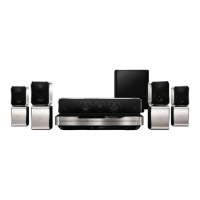

 To Next Page