16
8 Product specifications
Note
without notice.
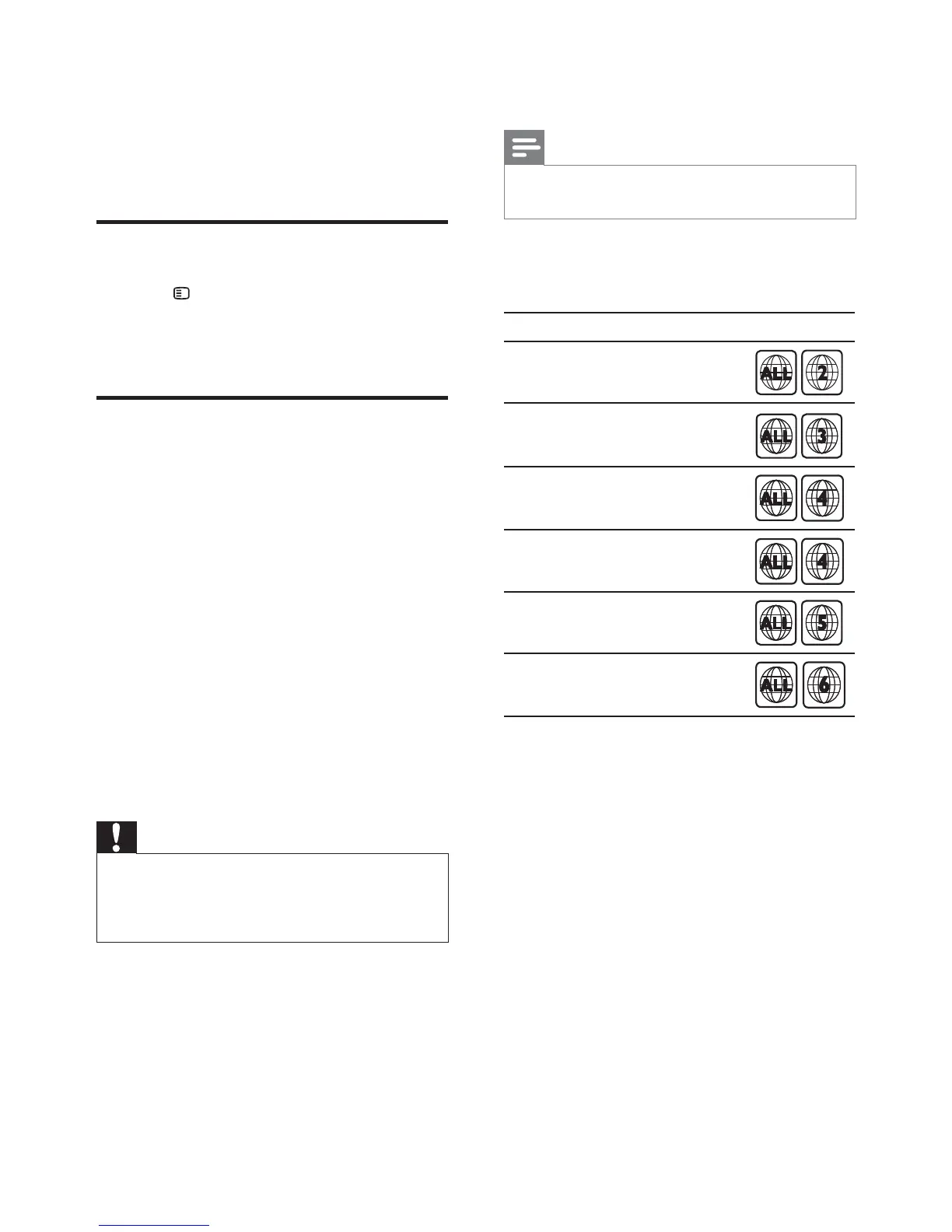
Region code
The type plate on the back or bottom of the
home theater shows which regions it supports
DVD-Video, DVD+R/+RW, DVD-R/-RW, DVD+R
DL, CD-R/CD-RW, Audio CD, Video CD/SVCD,
Picture CD, MP3-CD, WMA-CD, DivX-CD, USB
storage device
File Format
Audio: .mp3, .wma
Video: .divx, .divx ultra, .mpeg, .mpg, .wmv
Picture: .jpeg, .jpg
Total output power: 1000 W RMS (30%
THD)
Frequency response: 20 Hz-20 kHz
Signal-to-noise ratio: > 65 dB (CCIR) /
(A-weighted)
Input sensitivity:
AUX: 2 V
Country
DVD
Europe, United Kingdom
Latin America
Australia, New Zealand
Russia, India
China
Asia Pacific, Taiwan, Korea
7 Update software
To check for new updates, compare the current
software version of your home theater with the
latest software version (if available) on the Philips
web site.
1 Press SETUP.
2 Select [Preference Setup] > [Version Info.],
then press OK.
» The software version is displayed.
Update software from a CD-R
or USB
1 Check for the latest software version on
www.philips.com/support.
Search for your model and click on
‘software&drivers’.
2 Download the software onto a CD-R or
USB storage device.
3 Insert the CD-R or connect the USB
storage device to the home theater.
4 Follow the instructions on the TV to
» When complete, the home theater
automatically switches off and on again.
If not, disconnect the power cord for a
few seconds and then reconnect it.
Caution
Do not turn off the power or remove the
CD-R or USB storage device when the
software update is in progress because you
might damage the home theater.
EN


 To Next Page