35
English
Playing a Karaoke disc
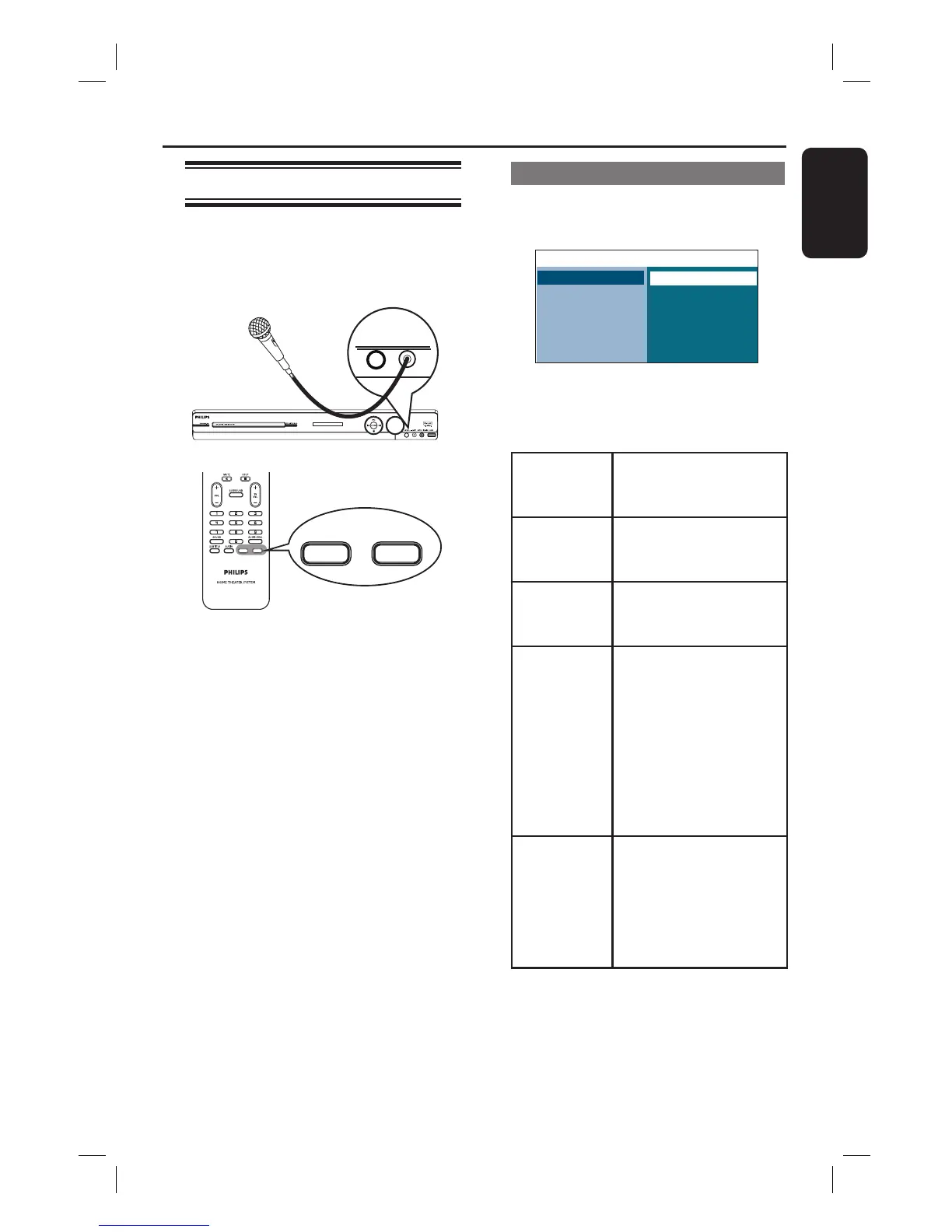
A Connect a microphone (not supplied) to
the MIC socket at the main unit (as
shown below).
LEVEL - MIC
VOCAL KARAOKE
VOCAL KARAOKE
B Insert a karaoke disc.
If the disc menu appears, use keys
to make your selection and press OK to
start playback.
C To turn off the vocal or change the
sound channel of a karaoke disc, press
VOCAL on the remote control
repeatedly to toggle between various
audio modes.
D Start enjoying the karaoke.
While singing, you can press LEVEL on
the main unit followed by adjusting the
volume control to set the microphone
volume level.
Playback - Karaoke
Microphone setting
A Press KARAOKE to access ‘Microphone
Setup’ page.
Microphone Setup
Mic
Mic Volume
Echo Level
Key
Score
On
4:3 Letter Box
Off
B In ‘Microphone Setup’ page, use
keys to select the option for microphone
settings and press OK to con rm.
{ Mic }
- On
- Off
To turn on or off the
karaoke microphone.
{ Mic
Volume }
Set the microphone
volume level (0 ~ 20).
Default setting is 10.
{ Echo
Level }
Set the Echo Level (0 ~
20). Default setting is
10.
{ Key } Set the pitch level (-10~
+10) that matching your
voice.
Note: Select ‘-10’ for
lowest possible tone
and ‘+10’ for highest
tone. To return to
original tone, select ‘00’.
{ Score }
- Off
- Easy
- Normal
- Hard
Select the level of
scoring option.
Note: Select { Off } to
turn off the karaoke
scoring option.


 To Next Page