EasyManua.ls Logo

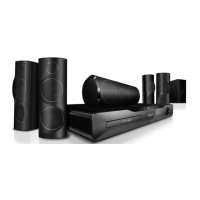
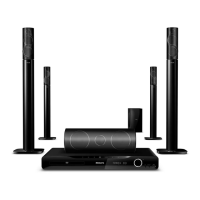
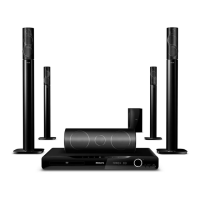
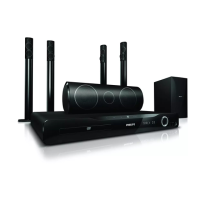
Philips HTS5533/78 - User Manual

Philips HTS5533/78
10 pages
Print Icon
To Next Page IconTo Next Page
Loading...
Registre seu produto e obtenha suporte em
www.philips.com/welcome
Immersive
Série 5000
Instruções básicas de uso
HTS5533_78_QSG_A5_21Dec11.indd 1HTS5533_78_QSG_A5_21Dec11.indd 1 12/21/2011 10:16:30 AM12/21/2011 10:16:30 AM
Question and Answer IconNeed help?

Do you have a question about the Philips HTS5533/78 and is the answer not in the manual?

Summary

Immersive Series 5000

Conectar o Home Theater

Conecte à TV

HDMI ARC Connection

Connect the soundbar to the TV using HDMI ARC for audio return channel.

HDMI + OPTICAL Connection

Connect the soundbar to the TV using HDMI and Optical cables for audio.

HDMI + COAXIAL Connection

HDMI + AUDIO L;R Connection

Ligar o Home Theater

Fazer a configuração inicial

Usar o Home Theater

Disc Playback

Insert and play discs using the 'OPEN' button.

Radio Tuning

Tune into radio stations using the 'AUTO INSTALL' feature.

USB and Music i-LINK Usage

USB Playback

Play media files from a USB device.

Music i-LINK Connection

Connect external audio devices via Music i-LINK.

Further Information and Support

Summary

Immersive Series 5000

Conectar o Home Theater

Conecte à TV

HDMI ARC Connection

Connect the soundbar to the TV using HDMI ARC for audio return channel.

HDMI + OPTICAL Connection

Connect the soundbar to the TV using HDMI and Optical cables for audio.

HDMI + COAXIAL Connection

HDMI + AUDIO L;R Connection

Ligar o Home Theater

Fazer a configuração inicial

Usar o Home Theater

Disc Playback

Insert and play discs using the 'OPEN' button.

Radio Tuning

Tune into radio stations using the 'AUTO INSTALL' feature.

USB and Music i-LINK Usage

USB Playback

Play media files from a USB device.

Music i-LINK Connection

Connect external audio devices via Music i-LINK.

Further Information and Support

Philips HTS5533/78 Specifications

General IconGeneral
BrandPhilips
ModelHTS5533/78
CategoryHome Theater System
LanguageEnglish

Related product manuals