8
Get started
Table of contents
1 CLOCK will be shown on the display. Press the k button. The year
indicator flashes.
2 Press the + or – button to set the year.
3 Press the k button to advance to the settings for the month.
4 Repeat steps 2 and 3 to continue to set the month, day, 12/24-
hour system and the time in the same way.
D Note
The date and time can be changed at any time using the menu (see
chapter 8, Customize settings on page 18 for more information).
3.6 Display information
• Press the j
/ DEL button while the recorder is stopped to rotate the
information on the display: elapsed playback/recording time of the
current file > remaining total recording time > recording time of the
current file > recording date of the current file.
• Press and hold k during recording to display the remaining recording
time.
3.3 Power on/o
1 To power on, press the k button until the display shows a short
animation
[ ].
2 To power o, press the k button while the recorder is stopped
until the display shows
BYE.
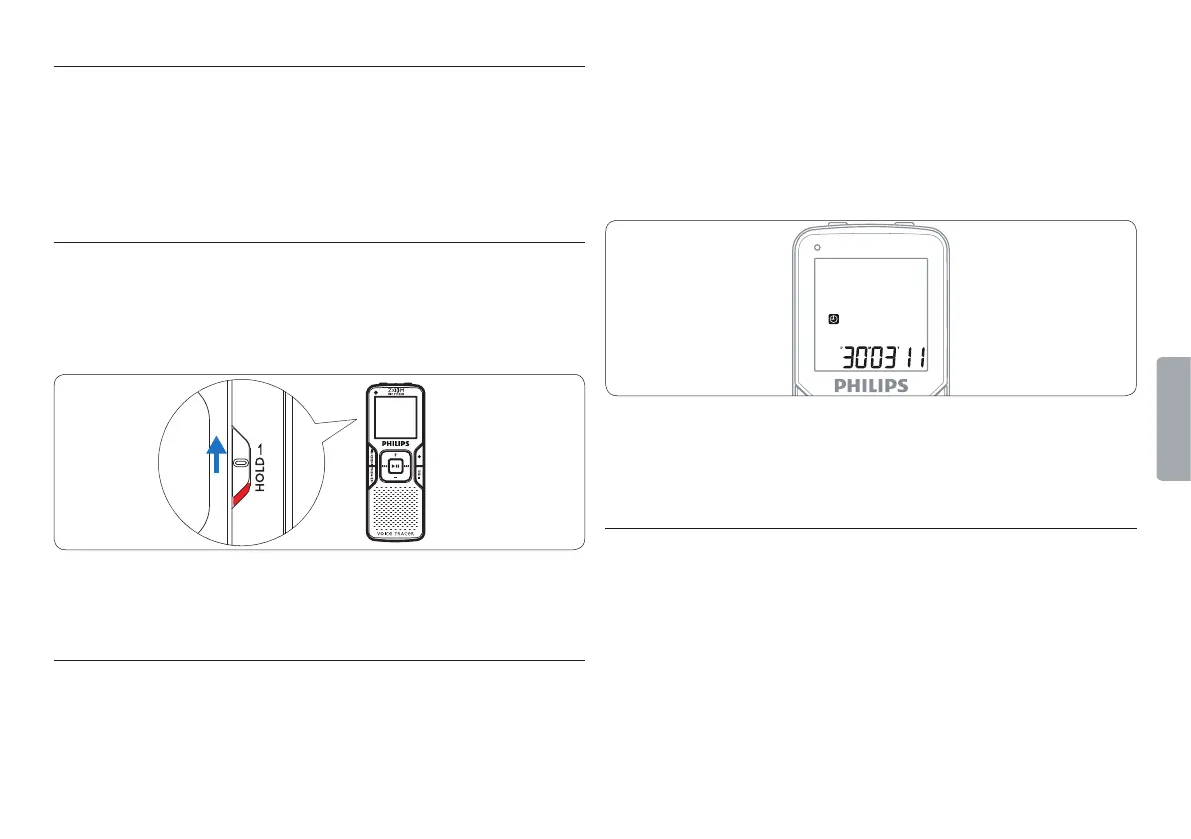
3.4 Keypad lock (HOLD function)
1 Slide the HOLD switch up into the Hold position to lock the keypad
of the recorder.
• The display briefly shows ‘On Hold’ and turns o.
2 Slide the HOLD switch down to the O position to disengage the
keypad lock.
3.5 Set date and time
When the batteries are installed for the first time, you will be prompted
to set the date and time.









 To Next Page