Troubleshooting
7-50 Maintenance, Troubleshooting, and Repair
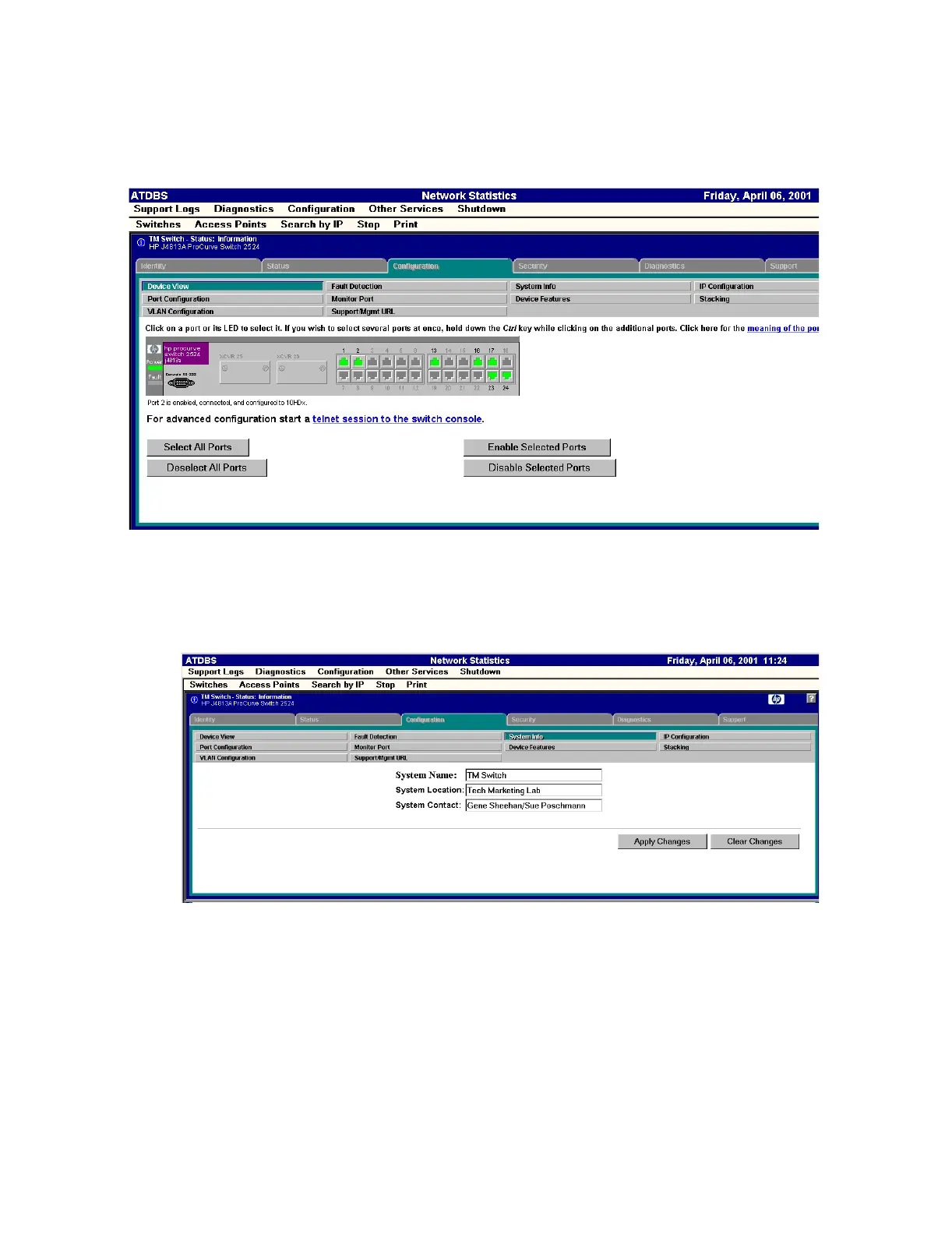
Figure 7-18 Device View - HP 2524 Switch
The System Info window under the Configuration tab is an area where you can give or view
the location of the switch and a contact name which will be viewed in the Identity window
(Figure 7-16). Enter any information and then click Apply Changes. See Figure 7-19.
Figure 7-19 System Info - HP 2524 Switch


 To Next Page