12
English
3140 115 27913
Compact Disc
IMPORTANT:
The lens of the CD player should never be
touched.
X
Playing a disc
This CD player plays Audio Discs including CD-
Recordables and CD-Rewritables.
¶ CD-ROM, CD-I, CDV, VCD, DVD or computer
CDs, however, are not possible.
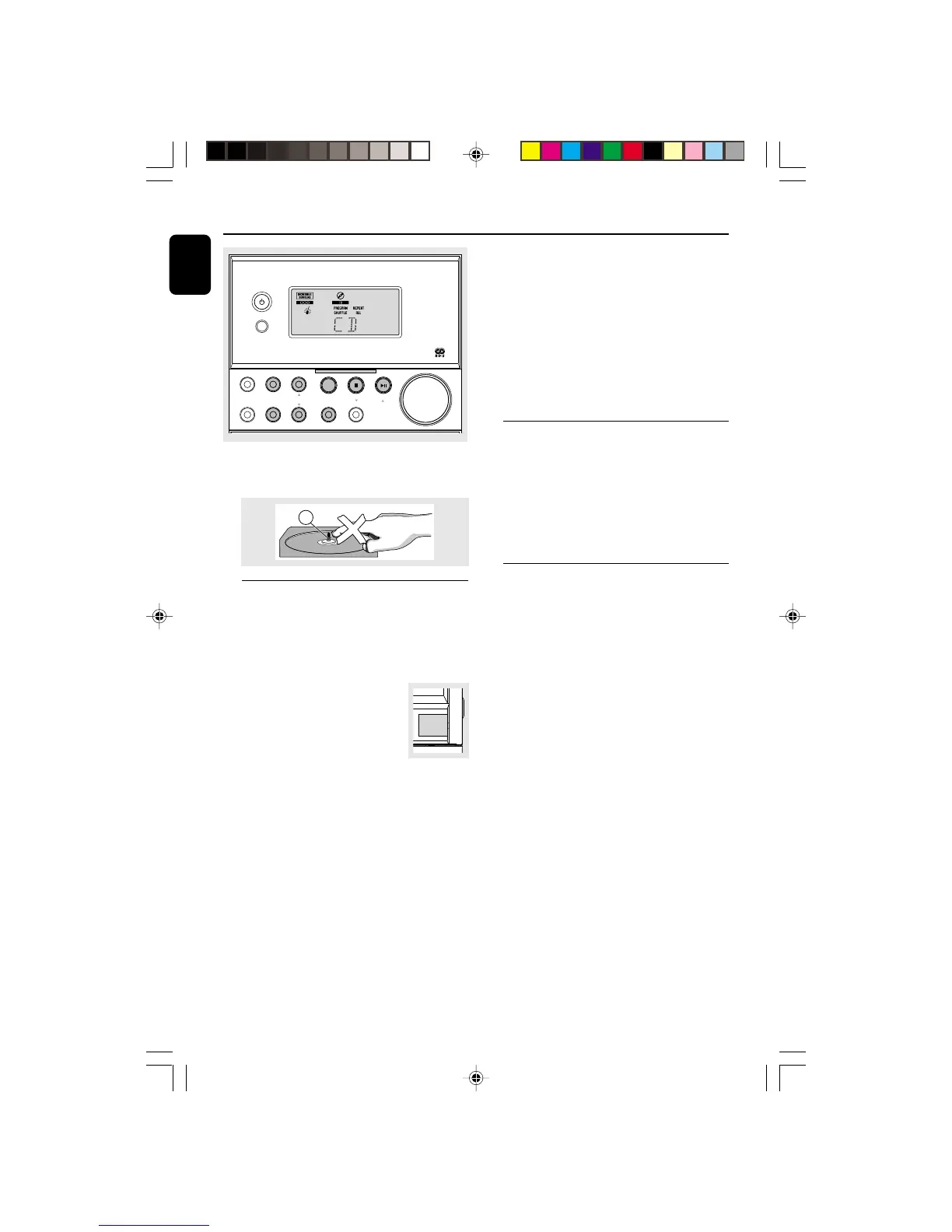
1 Select CD source.
2 Press OPEN•CLOSE on the top
of the system to open the CD
compartment.
➜ OPEN is displayed when you
open the CD compartment.
3 Insert a disc with the printed side facing up and
press down on OPEN•CLOSE to close the
CD door.
➜ READ is displayed as the CD player scans
the contents of a disc, and then the total number
of tracks and playing time are shown.
4 Press 2; (on the remote control 2) to start
playback.
➜ Current track number and elapsed playing
time of the track are displayed during disc
playback.
5 To interrupt playback press 2; (on the remote
control SIDE/;). Press 2; (on the remote
control 2) again to resume play.
➜ The display freezes and the elapsed playing
time flashes when playback is interrupted.
6 To stop disc playback, press 9.
Note: CD play will also stop when;
– the CD door is opened.
– the disc has reached the end.
– you select another source: TAPE, TUNER or AUX.
Selecting a different track
¶ Press REW à / ¡ or FWD á / ™ (on the
remote control ¡ or ™) once or repeatedly until
the desired track number appears in the display.
¶ If you have selected a track number shortly after
loading a disc or in the PAUSE position, you will
need to press 2; (on the remote control 2) to
start playback.
Finding a passage within a track
1 Press and hold down on REW à / ¡ or
FWD á / ™.
➜ The disc is played at high speed and low
volume.
2 When you recognise the passage you want,
release REW à / ¡ or FWD á / ™.
➜ Normal playback continues.
Note:
– During a disc programme or if SHUFFLE/
REPEAT active, searching is only possible within the
same track.
TUNING
RDS/ CLOCK
SIDE A/B
VOLUME
SHUFFLE
SOURCE
TIMER ON•OFF PROGRAM
REPEAT
REV MODE/ BAND
STANDBY-ON
RECORD
MC
-
30 MICRO SYSTEM
iR
FWD á/ë
REW à /í
PRESET
STOP
PLAY•PAUSE
OPEN •
CLOSE
pg 001-021/MC30/22-Eng 12/7/00, 1:32 PM12



 To Next Page